MCP HTTP Errors: What 400, 401 and 403 Mean at the Endpoint
curl -i -sS -X POST https://mcp.moltlinestudio.com/catalog -H 'Content-Type: application/json' -H 'Accept: application/json, text/event-stream' -d '{"jsonrpc":"2.0","id":1,"method":"initialize","params":{"protocolVersion":"2025-11-25","capabilities":{},"clientInfo":{"name":"probe","version":"1.0"}}}'
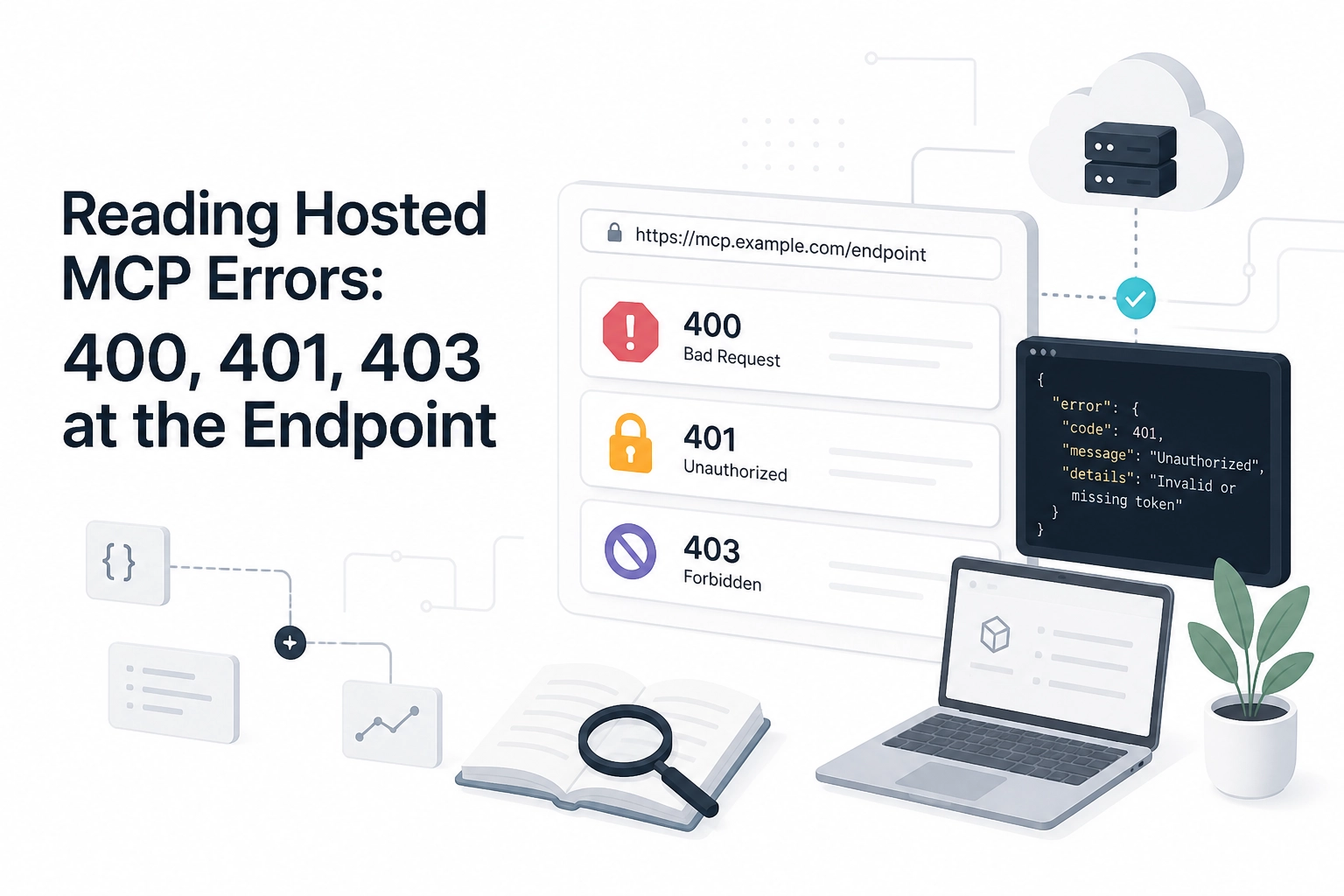
Your agent's MCP call is failing and you cannot tell whether the fault is your JSON, your headers, your network, or your licence. The status line from a single curl request separates those four. A 400 points at your request body or method. A 401 means your credentials never arrived, or arrived malformed. A 403 means you authenticated and something upstream still blocked you.
That distinction matters on mcp.moltlinestudio.com/, which serves 22 servers and 160 tools over Streamable HTTP. 110 of those tools need no account, key, or signup, so most auth failures are local configuration, not missing entitlements. The other 50 are premium, and an unlicensed call returns premium_tool_requires_license in the tool result body, never as a status code.
Moltline's servers follow the 2025 revisions of the spec: they accept protocol versions up to 2025-11-25 and need initialize before any other method, so the examples below start there.
Start With One curl and Read the Status Line
Start with a single request that captures everything at once.
curl -i -sS -X POST https://mcp.moltlinestudio.com/catalog -H 'Content-Type: application/json' -H 'Accept: application/json, text/event-stream' -d '{"jsonrpc":"2.0","id":1,"method":"initialize","params":{"protocolVersion":"2025-11-25","capabilities":{},"clientInfo":{"name":"probe","version":"1.0"}}}' | tee /tmp/mcp-response.txt
A healthy endpoint answers 200 with content-type: application/json and an mcp-session-id header; send that header on every later request. Without it, tools/list and tools/call get a 400 with Bad Request: Missing session ID in the JSON-RPC error.
Keep the full output in a file rather than scrolling it in a terminal, because the JSON-RPC payload sits below the headers and is easy to lose.
Before blaming the endpoint, confirm the server slug and tool name on the specific entry in the hosted server listing. A wrong slug returns a routing error, not a tool error.
Name the spec version you are testing against. The Streamable HTTP transport page labels 2026-07-28 as latest, and its header sections are where most client-side 400s originate. Inside a session on our endpoint, an MCP-Protocol-Version: 2026-07-28 header gets a 400 whose message lists the supported versions: 2024-11-05, 2025-03-26, 2025-06-18 and 2025-11-25.
If the headers still look correct, how the transport layer works covers what the endpoint validates before dispatch.
The Endpoint Layer Is Not the Tool Layer
A status code comes from whichever layer answered, not from the tool you called. A request reaches a hosted tool through a fixed sequence:
Your MCP client
Any network proxy
The header check
Streamable HTTP validation
JSON-RPC dispatch
The tool itself
Only the first four can return a 4xx. By stage five the request is well-formed and the transport has accepted it. Faults past that point belong to the tool itself, including choices like picking an image editing tool.
Four sections of the MCP transport specification define what the endpoint validates: Protocol Version Header, Standard Request Headers, Custom Headers from Tool Parameters, and Server Validation.
Scope: this mapping covers the hosted Streamable HTTP endpoint at mcp.moltlinestudio.com/. Local stdio transports and other hosts validate differently, and their error text will not match this one. With that map fixed, the first code to diagnose is 400.
HTTP 400 at an MCP Endpoint: Bad Body or Wrong Method
Inside that endpoint layer, 400 is the code you meet most often. The endpoint returns 400 when the request is malformed or the method is not the one that route accepts.
Rule out a malformed body first
"jsonrpc":"2.0"missing, or a"1.0"left in from an older clientidsent as a string where the schema expects a numbera trailing comma, or an unescaped quote inside an argument
At mcp.moltlinestudio.com these failures surface as a 400 in the status line, so fix the body before reading anything else. Surface the detail in your client instead of reading the raw status.
Wrong method comes second
tools/callortools/listsent beforeinitializecompletes (on our endpoint: a 400 withBad Request: Missing session ID)tools/listspelledtool/lista notification carrying an
id
Batch arrays also need the correct Content-Type on the request.
Header-side 400s
These come from transport rules, not the tool:
a missing or mismatched
MCP-Protocol-Versionan
Acceptheader that omitstext/event-streamContent-Type: text/plain
The Streamable HTTP transport spec covers all three.
Arguments that fail validation do not produce a 400. They return 200 with an error object in the result, so bad tool params look healthy in your status-code logs. Client-side MCP wiring for Claude is usually where those header defaults get set.
HTTP 401: The Credentials Never Arrived, or Arrived Wrong
Where a 400 points at your request body, a 401 points at headers that never arrived in usable form.
The endpoint returns 401 when the request arrives without credentials it can use. Read any WWW-Authenticate header before you look at your key, because it names the scheme the endpoint expected.
Check causes in this order:
An HTTP proxy, or an SDK that does not forward custom headers, strips the auth header in transit.
An env var set in your shell but empty inside the agent runtime.
A key pasted with a trailing newline.
A scheme mismatch, such as
Bearersent asToken.
A 401 on one of the 110 free tools is a configuration bug, not an entitlement bug. Those tools need no account, key or signup, so there was nothing to reject. Entitlements arrive elsewhere, as premium tools and 402 handling explains.
A 401 with no tool name attached means the handshake failed, not the tool.
Rebuild the call in plain curl with the identical header value. If curl succeeds and the agent fails, the defect is in the client config, and endpoint debugging will not fix it. A blocked-but-authenticated request returns 403 instead.
HTTP 403: Authenticated, Then Blocked Before the Tool
A 403 means the request passed authentication and something behind it refused. The endpoint gives a 403 when it understood the request and declined to authorize it. Resending the same credentials changes nothing; a policy decision, not a credential check, produced the code.
Observed causes on hosted endpoints, as patterns rather than documented guarantees:
An egress allowlist that lists a general API host but not
mcp.moltlinestudio.com.A TLS-inspecting proxy that rewrites or re-signs the request in transit.
A WAF rule keyed to user-agent string or JSON request bodies.
Reading the 403 body
Check whether the body is JSON-RPC or an HTML error page. The endpoint at mcp.moltlinestudio.com answers in JSON, so an HTML body points at a proxy or gateway in front of it.
curl --noproxy '*' -i -sS -X POST https://mcp.moltlinestudio.com/catalog -H 'Content-Type: application/json' -H 'Accept: application/json, text/event-stream' -d '{"jsonrpc":"2.0","id":1,"method":"initialize","params":{"protocolVersion":"2025-11-25","capabilities":{},"clientInfo":{"name":"probe","version":"1.0"}}}'
Compare that against the same request through the proxy, then run it from another network to test the egress hypothesis. Read Via, Server and X-Forwarded-* in the response headers; the hop that answered usually identifies itself, and that name is where the ticket goes. Licence failures never surface here; they arrive in the tool result, and what breaks in AI licensing covers that path.
Why a Licence Problem Never Arrives as an HTTP Status
A 403 answers in the status line. A missing licence does not.
The 50 premium tools return premium_tool_requires_license inside the tool result, under a normal HTTP 200. There is no 402, no 403 and no auth challenge. A licence problem is a tool result, not a transport error. Here is a captured response from the catalog server's premium get_full_kit tool, called in a session with no licence (trimmed; the content text repeats the same JSON as structuredContent):
{"jsonrpc":"2.0","id":2,"result":{"content":[{"type":"text","text":"{...}"}],"structuredContent":{"error":"premium_tool_requires_license","tool":"get_full_kit","message":"...","upgrade_url":"https://moltlinestudio.com/#allaccess","price":{...},"x402":{"resource":"https://moltlinestudio.com/api",...},"x402_day_pass":{"resource":"https://moltlinestudio.com/api/premium/day-pass",...}},"isError":false}}
The envelope carries the usual jsonrpc and id fields, and the result names the requirement, the licence page and both x402 purchase resources. Your client should surface the string, not a status code.
Two ways to clear it:
19 USDC on Base at buy a month of All-Access covers one month.
2 USDC at https://moltlinestudio.com/api/premium/day-pass covers a day pass to the end of the next UTC day.
Agents pay over x402 with no human in the loop. Billing is never per call.
One trap sits beside this. mcp.moltlinestudio.com/api does not exist. A 404 there is a wrong URL, not a licence problem. If you see an HTTP 402 anywhere in this flow, something other than the MCP endpoint answered. Name that something in your bug report.
The table below puts all four signals side by side.
400 vs 401 vs 403 vs premium_tool_requires_license
With the licence case placed in the body, here is the whole family side by side.
Signal | HTTP status | Where it originates | What it is not | First thing to check |
|---|---|---|---|---|
| 400 | Client or transport layer: request syntax, JSON-RPC framing, transport header validation | A tool failure; the tool never executed | The raw request body and the |
| 401 | Auth surface, at the header check | An entitlement problem on a free tool | Whether the |
| 403 | Policy layer: an allowlist, a proxy, or a WAF rule | A credential rejection | The |
| 200 | Entitlement lookup, inside the tool result body | A transport error | Whether you meant to call a premium tool, and whether the licence is live |
Rule out the rows above yours: a bad MCP-Protocol-Version value produces a 400 that looks nothing like a licensing problem.
Scan to your code, stop, and fix that layer only.
Diagnosing by Symptom: A Short Checklist
The table tells you which layer failed. This checklist tells you what to capture so the answer is not a guess.
Save the full
curl -ioutput to a file.Read the status line and headers before the body.
Grep the body for
jsonrpcto confirm which layer answered. No match means the MCP server never replied.Check
WWW-Authenticateon a 401.Check
ViaandServeron a 403.
curl -i -sS -X POST https://mcp.moltlinestudio.com/<server> > /tmp/mcp.txt
grep -i jsonrpc /tmp/mcp.txt
Match the failing request against a working one from the same machine. Change one variable at a time: method, then body, then headers, then network path. If the failure appears in only one client, the Claude Code plugin walkthrough shows how that client wires MCP.
Log the HTTP status separately from the JSON-RPC error code. One combined metric is why 400s and licence failures fire the same alert.
When the endpoint is genuinely at fault, capture four things: server slug, tool name, timestamp in UTC, and the raw response. Confirmed defects get fixed within 30 days.
Before calling a premium tool broken, check its public MCPize listing for grade and scope, then the tool entry at moltlinestudio.com/servers.html. An unlicensed call is a licence question, not a bug.
What to Fix First
With the checklist done, fix in this order.
400: print the raw request before changing anything. Check
MCP-Protocol-Version,AcceptandContent-Typeagainst the 2026-07-28 transport spec.401: the header did not arrive in a usable form. Rebuild the call in curl, compare header values, then fix the client config. On the 110 free tools there is no credential to blame.
403: something outside the endpoint refused you. Read
ViaandServer, find the hop, then test withcurl --noproxy '*'.Licence: not an HTTP status. It is
premium_tool_requires_licenseinside a 200. Fix it at https://moltlinestudio.com/api, not in your headers.
Start with one request you can reproduce. Capture the full response, then read the code. That order also holds when you compare an AI website builder with an MCP stack comparison.
Conclusion
Status codes tell you where a request died. JSON-RPC codes tell you what the endpoint decided. Keep the two apart and most of this debugging gets shorter.
400 means your request shape is wrong. Print the raw body before touching anything else.
401 means the credential never arrived in usable form. Rebuild the call in curl and compare headers.
403 means a hop outside the endpoint blocked you. Read
ViaandServer, then test withcurl --noproxy '*'.premium_tool_requires_licensearrives inside a 200. It is a licence question, not a defect.
Next step: reproduce one failing call, capture the full response, and check that tool's public MCPize grade before filing a report. The 110 free tools need no credential at all, so start there. If the tool sits in the other 50, open https://moltlinestudio.com/api and settle the $19/month All-Access licence in USDC on Base. One reproducible request beats an hour of guessing.