Imagine burning through 125,000 tokens before Claude writes a single line of code. That was the reality for developers running multi-server MCP setups before January 2026, where loading tool definitions alone could consume a third of Claude's entire context window. If you have been working with mcp claude integrations in production, you already know how fast that "startup tax" compounds across complex workflows.
MCP (Model Context Protocol), released by Anthropic in late 2024, standardized how AI models connect to external tools and data sources. The architecture was solid, but the token economics were painful at scale. That changed with the release of MCP Tool Search on January 15, 2026, a lazy loading mechanism that fundamentally shifts how Claude discovers and loads tool definitions.
This tutorial walks you through everything that matters post-Tool Search: how Claude consumes MCP tool definitions under the hood, how the new search index architecture reduces overhead, and how to configure MCP servers in Claude Code using streamable HTTP endpoints. You will also explore multi-server design patterns, token efficiency measurement strategies, and free tools worth adding to your stack.
What MCP Is and How Claude Consumes Tool Definitions
MCP (Model Context Protocol) is an open standard Anthropic released in November 2024. It gives Claude a structured, protocol-level way to call external tools over a network connection, replacing ad-hoc prompt engineering with a repeatable interface. If you want a deeper conceptual frame, MCP: The TCP/IP of the Agentic Layer, Explained in Plain Language covers the analogy well.
How Claude reads tool definitions
At connection time, each MCP server publishes a manifest: tool names, descriptions, and parameter schemas formatted as JSON-RPC 2.0 messages. Claude reads the entire manifest before processing the first user message. That manifest is injected directly into the context window, not held in a side cache. Ten servers with 50 tools each can silently consume tens of thousands of tokens before a single user prompt appears. That cost matters, and later sections quantify it precisely.
Claude Code as the production runtime
Claude Code is now the primary runtime for MCP in production. It handles server discovery, connection lifecycle, and tool dispatch against a configured list of endpoints. For a detailed look at how this fits into a broader agent stack, see The Backbone: Model Context Protocol (MCP) Servers.
Transport options
The MCP specification supports two transports:
stdio: the server runs as a local process; Claude Code spawns and manages it
Streamable HTTP: the server runs remotely; Claude Code connects over HTTPS with no local process required
Streamable HTTP is simpler to share across machines and environments. You paste a URL; the tools are available. That distinction shapes every practical setup this tutorial covers.
The Token Cost Problem That Existed Before Tool Search
That silent token drain starts the moment Claude connects to your servers, before you type a single character.
The numbers are concrete. A single Docker-based MCP server exposing 135 tools consumed approximately 125,000 tokens just to load tool definitions. That is roughly 33% of Claude's 200,000-token context window gone before any user prompt appeared.
Multi-server production setups made this worse in a predictable way. Configurations running 7 or more servers documented 67,000+ tokens consumed by tool definitions alone. That left a compressed budget for conversation history, file contents, and retrieved context, the material Claude actually needs to reason well.
The architectural response was blunt: keep server tool counts low, or accept context pressure that visibly degraded response quality. Neither option was satisfying. Fewer tools per server meant more servers to manage. More servers meant the token drain scaled linearly.
This was not a theoretical concern. Teams building agents on Claude regularly faced a direct tradeoff between breadth of tooling and depth of reasoning context. A richer tool surface meant shallower context; a deeper context meant a narrower tool surface. For anyone managing a multi-server stack, understanding Practical Stack Composition: Endpoints, Tiers, and Cost was necessary before making architectural commitments.
The Claude Code community named this the "startup tax," reflecting the token overhead paid on every session regardless of which tools were actually needed. It became one of the most-requested issues from Claude Code users and is the direct reason Anthropic shipped Tool Search in January 2026. The next section covers exactly how that feature changes the loading architecture.
How MCP Tool Search Changes the Loading Architecture
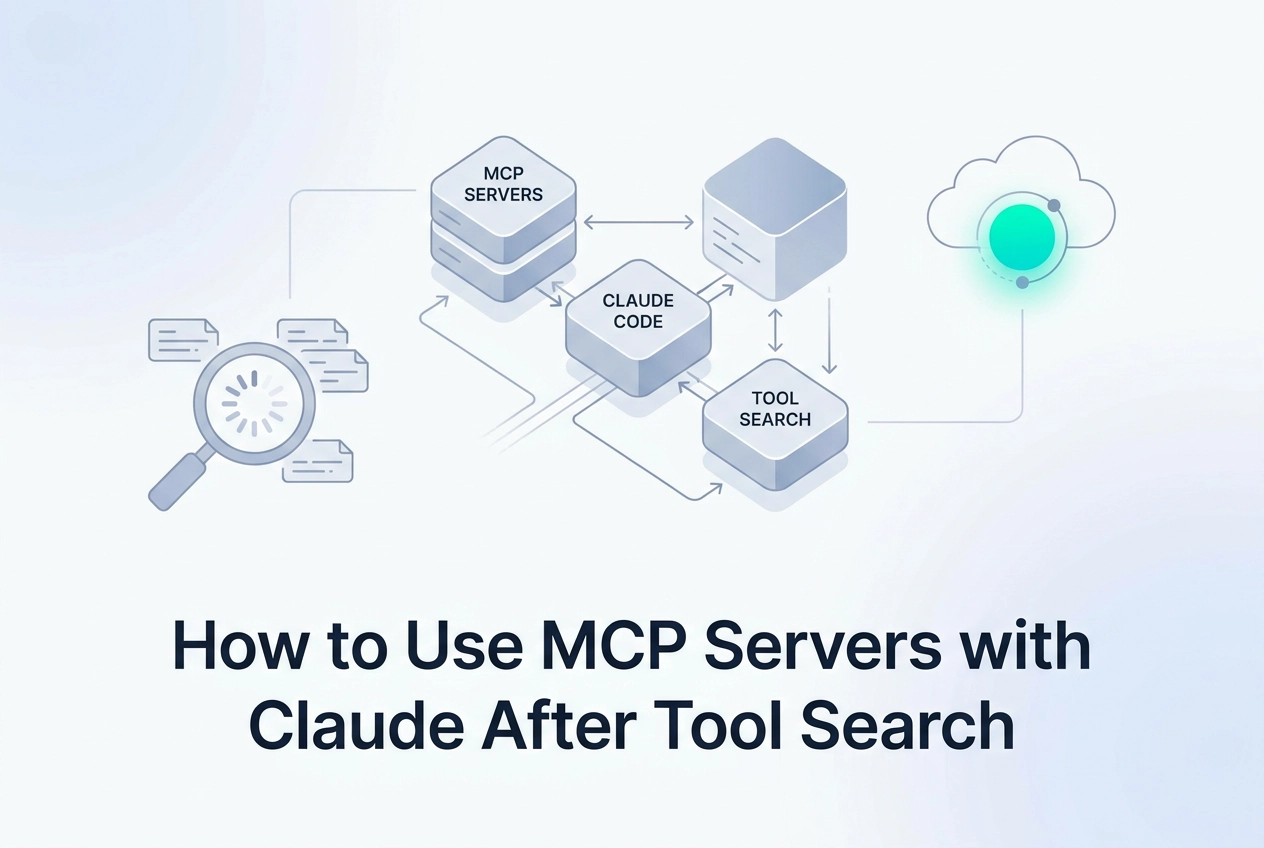
Tool Search, released January 15, 2026, replaces eager loading with lazy loading. Instead of injecting every tool definition at startup, Claude Code builds a lightweight search index from tool names and descriptions at session start.
When a prompt arrives, Claude queries that index and fetches only the definitions relevant to the current task. Irrelevant tool schemas never enter the context window.
The threshold logic is automatic. Claude Code switches to on-demand fetching when tool descriptions exceed 10% of available context. No configuration flag, no manual tuning required.
The token impact is measurable. Internal Anthropic testing showed Tool Search reduced consumption from approximately 134,000 tokens to approximately 5,000 tokens for the same tool set, an 85% reduction with no loss of tool access.
That reduction means you can now connect multi-server setups with 50+ tools each without exhausting your context budget. Moltline Studio's 22 servers expose 160 tools total, with 110 free and 50 premium; the server list maps each endpoint to its tool set.
The architectural implication that matters most: server design logic inverts under this model. A single feature-rich server with well-named, precisely described tools outperforms multiple thin servers. The search index routes by description quality. Vague names produce misfires; precise, action-oriented descriptions produce correct fetches.
The practical rule is this: invest in description precision before you invest in server count. Tool Search rewards specificity and penalizes ambiguity in proportion to how many tools are competing for the same query terms.
Adding an MCP Server to Claude Code with a Streamable HTTP Endpoint
Streamable HTTP is the right transport to start with. No local process to manage, no Docker container, no port binding. The server runs remotely; Claude Code connects over HTTPS.
Adding a server via CLI:
claude mcp add --transport http <name> <url>
Replace <name> with a short identifier and <url> with the endpoint. Alternatively, edit your project-level .mcp.json directly and add an entry under mcpServers:
{
 "mcpServers": {
 "my-server": {
 "transport": "http",
 "url": "https://mcp.moltlinestudio.com/<server>"
 }
 }
}
A working example with no setup overhead:
Moltline Studio exposes 22 hosted MCP servers at mcp.moltlinestudio.com/<server>. The 110 free tools require no account, no API key, and no signup. Paste the endpoint directly and Claude Code connects. For a complete guide to using a remote MCP endpoint in Claude Code — covering both the UI paste path and the .mcp.json config path — see the dedicated tutorial. For wiring a specific server type into your client, see Wiring an Image MCP Server into Claude Desktop or Cursor for a parallel walkthrough.
Verify and test:
Run claude mcp list after adding a server. It should appear with its name and tool count. With Tool Search active, the full schema stays out of context until a relevant prompt triggers an index lookup; this is expected behavior, not a connection failure.
For multi-server setups, add each server as a separate named entry under mcpServers. Claude Code handles connection order and index building at session start automatically.
To confirm tool routing works correctly, issue a prompt that clearly targets one server's domain, such as a file operation or a web lookup. Inspect the tool call Claude emits in the output and verify the correct tool name appears. If routing misfires, the most common cause is overlapping or generic tool descriptions on the server side.
Multi-Server Design Patterns That Make Sense Post-Tool Search
Once your servers are connected, the architecture decisions you make across them directly determine how accurately Tool Search routes.
Description quality is the highest-leverage variable (already established: Tool Search indexes names and descriptions). Write each description as one sentence naming the task category, input type, and output format. For example: "Converts a local Markdown file path to structured HTML string" outperforms "get file output" in every routing scenario.
Group tools by functional domain, not by convenience. All file I/O tools belong in one server; all web retrieval tools in another. When the search index can distinguish servers by domain, it routes faster and pulls fewer competing definitions into context. Mixing unrelated tools in one server blurs that boundary.
Avoid unqualified generic verbs. Names like get_data, fetch_result, or read_item create ambiguity when two servers expose similarly named tools. Tool Search may pull both definitions, partially erasing the token savings the lazy-loading architecture provides. Qualify every verb: read_csv_rows, fetch_html_by_url, get_github_issue_body.
Validate custom servers before wiring them in. Moltline Studio's free agent-readiness checker evaluates a server's tool definitions against structural criteria and reports which tools are likely to be misrouted or ignored under Tool Search. Run it before any server touches production. Pairing that with why skills and MCP servers pair together gives you a fuller picture of how tool structure affects agent behavior end to end.
Check MCPize audit grades for third-party servers. Public results run A+ to B+. A poorly structured third-party server in a multi-server setup can degrade the entire index, not just its own tools.
Measuring Token Efficiency Across Your MCP Server Stack
Once your server design is solid, measuring actual token behavior closes the loop.
Claude Code displays token usage per session in the sidebar. Run two identical prompts: one with Tool Search active, one with it disabled. The difference is your real reduction. The 85% baseline from Anthropic's testing is a useful ceiling; if your stack falls significantly short, verbose tool descriptions are the likely cause.
To locate the problem server, calculate each server's raw schema weight: number of tools multiplied by average description length in tokens. Servers with long, redundant descriptions are the ones most likely to pull unnecessary definitions into context. A server that spikes above your baseline needs tighter descriptions or a split along functional domain lines.
Hosted servers are straightforward to benchmark because there is no local setup to account for. With Moltline Studio's 160-tool stack across 22 servers, you can measure connection latency and schema load independently against a live Streamable HTTP endpoint, with zero infrastructure cost on your side. That separation makes it easier to isolate whether a spike comes from description verbosity or network overhead.
Before finalizing your stack, the A Production-Grade MCP Server Evaluation Checklist walks through the structural criteria worth checking on any server, hosted or self-built.
Finally, record your measurements. Add inline comments to .mcp.json or maintain a SERVERS.md in your repo with per-server token readings and the date they were taken. When a server updates its tool manifest, those notes force an explicit re-evaluation rather than letting silent schema growth erode your context budget.
Free Tools That Extend What Claude Can Do Through MCP
Once you have benchmarks in place, the next step is filling your stack with tools that are already optimized for that environment.
Moltline Studio's free tier covers 110 tools, no account, API key, or signup. Paste any mcp.moltlinestudio.com/<server> endpoint; the connection is live immediately.
Alongside the servers, 138 SKILL.md agent skills are published open-source at GarphenGate/moltline-oss on GitHub. These are structured prompt files that pair with MCP tools to cover common agent tasks. You wire in a skill instead of writing custom orchestration logic for each task pattern.
The same repository includes a SKILL.md linter. Run it before committing a skill file; it validates the file against the spec and catches format errors that would otherwise cause silent failures in a production agent. Silent failures in tool routing are hard to debug after the fact, so catching them at commit time matters.
The free agent-readiness checker evaluates any MCP server against structural criteria and returns a report identifying which tools are likely to be correctly routed under Tool Search. Run it on any server you plan to add to a multi-server setup, including servers you build yourself.
For broader access, a single $19/month All-Access licence unlocks the remaining 50 premium tools. Payment is cryptocurrency only. The /api endpoint serves a live HTTP 402 x402 challenge, so an agent can discover the price and settle on-chain with no human in the loop.
Key Takeaways and Next Steps

With the free tools covered, here is what to carry forward.
MCP Tool Search removes the startup tax. Multi-server production setups are now architecturally sound.
The token reduction is real, but design freedom is the actual gain. That headroom lets you build feature-rich servers without engineering around context exhaustion.
Tool description quality is the highest-leverage variable you control. One precise sentence per tool, task category, input type, output format, is the target.
Start with zero infrastructure. Paste any mcp.moltlinestudio.com/<server> endpoint into Claude Code; 110 tools are live immediately. Run the agent-readiness checker on any custom servers before adding them.
Check GarphenGate/moltline-oss before writing orchestration logic. 138 pre-built skills cover common agent task patterns.
The architectural shift is complete. The remaining work is precision: sharp descriptions, verified servers, and reusable skills wired together.