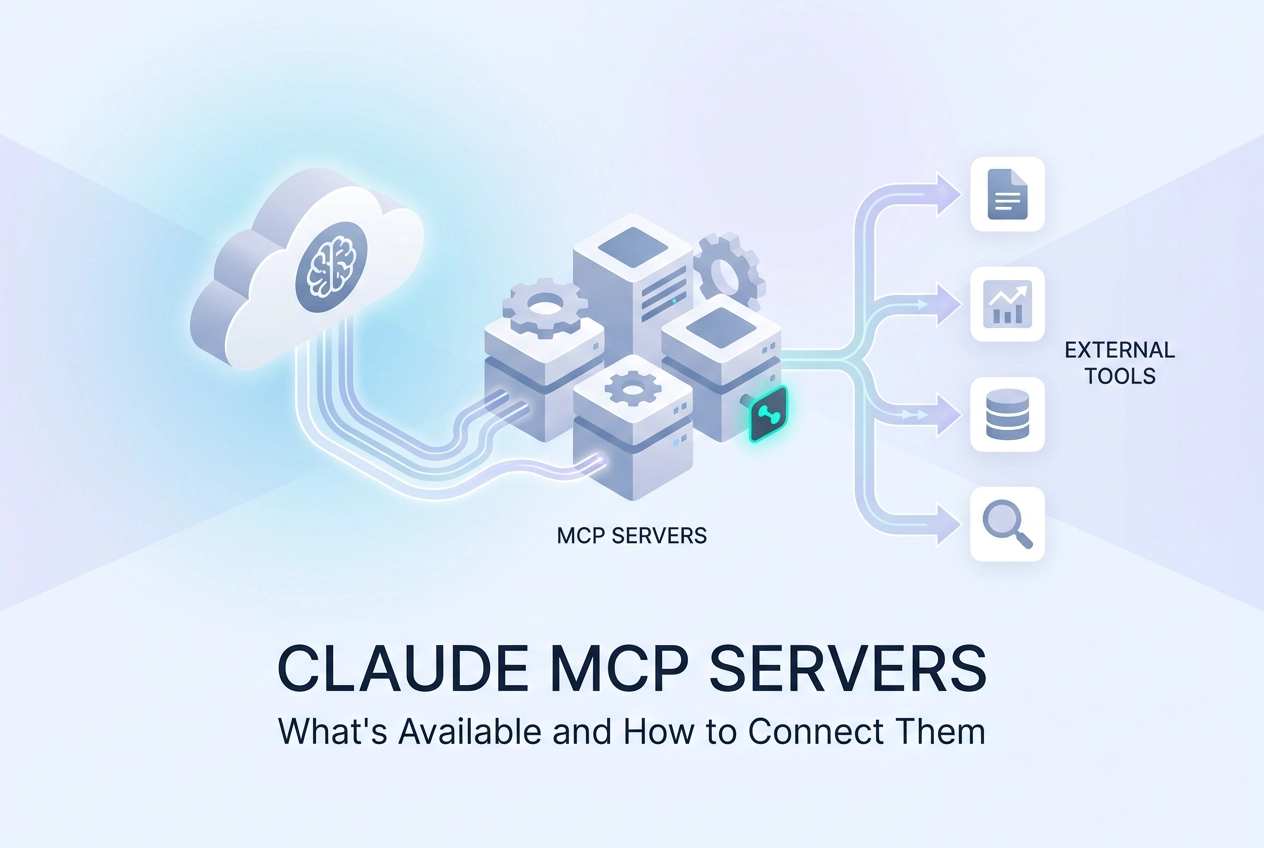
Context switching kills productivity. If you have spent any time building or using AI-powered workflows, you already know the friction of jumping between a chat interface and a dozen other tools just to get one task done. Anthropic's answer to that problem is the Model Context Protocol, and the growing ecosystem of claude mcp servers is quickly changing how developers and power users integrate external systems into AI-driven work.
Introduced by Anthropic in 2024, MCP is an open, interoperable standard that exposes functions, data, and controls from external applications directly into conversational and agentic AI workflows. As of early 2026, Claude supports interactive tool connections to platforms like Slack, Figma, Asana, and Canva, letting you view, edit, and act on content without ever leaving the Claude window.
This post breaks down exactly how those connections work. You will find a look at official integrations, hosted third-party servers available today, a step-by-step connection guide, and a framework for evaluating any MCP server you consider adding to your stack. Whether you are building agents or streamlining your own workflow, this is where to start.
How Claude Connects to MCP Servers
MCP supports two transport types. Understanding both determines which connection method works for your setup.
Streamable HTTP sends each message as an HTTP POST to a single endpoint. Responses arrive as JSON or a server-sent event stream. The server runs remotely; you reference it by URL. Any MCP client on any machine can point at the same endpoint. This is the right choice for production agents and shared team configs.
Stdio launches a local subprocess and communicates over stdin/stdout. The server process runs on your machine. Move to a different machine and you rebuild the setup. Fine for local dev tools you own and control; not portable beyond that.
Two Ways to Connect Claude
Claude.ai native integrations are managed by Anthropic. These cover Anthropic-vetted SaaS platforms and go through a closed approval process. You configure them in Claude.ai's Connections settings page.
Direct MCP client config lets you supply any compliant endpoint yourself. Claude Code, Cursor, and Codex CLI all support this path. You do not need Anthropic approval; you add the server entry to your client config and the tools appear. This is where Streamable HTTP endpoints become immediately useful, as covered in the full server catalog at moltlinestudio.com.
Adding a Streamable HTTP Server to Claude Code
In Claude Code's MCP settings panel, add a server entry with a single url field:
{
 "mcpServers": {
 "my-server": {
 "url": "https://mcp.moltlinestudio.com/<server>"
 }
 }
}
Save the config. Claude Code reads the endpoint and lists available tools automatically. No extra fields required for unauthenticated servers.
For a deeper look at why Streamable HTTP matters in production pipelines, the MCP baseline on production-grade AI agents covers the transport tradeoffs in detail. The spec defines both transports at modelcontextprotocol.io.
Official Claude MCP Integrations
On January 26, 2026, Anthropic launched interactive tool support powered by MCP inside Claude.ai, covering 8+ SaaS platforms: Asana, Box, Canva, Figma, Hex, monday.com, Slack, and others.
The key technical distinction is the MCP Apps extension. Standard MCP tool calls return plain text. MCP Apps renders a full UI component inside the Claude interface, so you see and interact with real content from the connected service without switching tabs.
What that looks like in practice:
Draft and send a Slack incident message from inside the Claude window
Update an Asana task timeline and see the change reflected immediately
Browse Figma frames or Hex charts without opening a separate browser tab
The goal is context reduction: keep Claude visible while the work happens.
The hard limitation to know before you plan around these integrations: The native interactive layer is Anthropic-vetted and runs through a closed approval process. You cannot submit an arbitrary MCP server and expect it to appear as an interactive connector in Claude.ai. The supported platforms are the supported platforms.
This matters for how you architect. If your tooling sits outside that approved list, the native integration path is closed to you. The alternative is direct MCP client configuration, which the previous section covered, and which gives you full control over which servers you connect.
For programmatic agent builds, Anthropic documents the API-level integration path at platform.claude.com/docs. The sixty-second version covers the connection steps if you want a faster orientation before reading the full spec.
Hosted Third-Party MCP Servers You Can Use Today
Beyond Anthropic's native integrations, three categories of third-party MCP servers are available today.
1. No-account, direct HTTP endpoint servers
Moltline Studio publishes 22 hosted MCP servers exposing 160 tools at mcp.moltlinestudio.com/<server>. 110 of those tools are free: no signup, no API key, no account creation. For servers focused on pulling accurate, version-matched library documentation, the Context7 MCP server is worth adding alongside the Moltline catalogue. Paste the endpoint URL into Claude Code, Cursor, Codex CLI, or any compliant MCP client and the tools appear. One $19/month All-Access licence unlocks the remaining 50 premium tools; payment is cryptocurrency only.
Every server carries a public MCPize audit grade, ranging from A+ to B+. Each grade has a direct result URL you can open before wiring anything into a pipeline. Server bundles are also available through Agensi, so you can discover and connect them without going directly to the mcp.moltlinestudio.com domain.
The no-account tier matters in automated agent pipelines. Most hosted MCP servers require at least an account creation step before tools activate. That friction breaks unattended workflows. Skipping it entirely removes one failure point.
For a broader view of what the current MCP ecosystem looks like — registry scale, security gaps, and what to check before integrating — see The MCP Market in 2026: Growth, Security Gaps, and What Developers Should Check Before Integrating.
2. Servers requiring API keys or OAuth
Many third-party servers wrap existing SaaS APIs. Tools activate only after you supply a personal API key or complete an OAuth flow. These are practical when you already hold a paid subscription to the underlying service and just need MCP access layered on top.
3. Self-hosted open-source servers
Anthropic's MCP GitHub repository lists community-built servers you can clone and run locally. The tradeoff is real: setup overhead, no uptime guarantee, and you own all maintenance. Best suited for custom internal tooling or controlled experimentation where you need full visibility into what the server does.
Connecting an MCP Server to Claude in 3 Steps

Once you have an endpoint in hand, connection is three steps.
Step 1: Get the endpoint
For a Streamable HTTP server, the endpoint is a URL. For Moltline Studio's servers, the pattern is:
https://mcp.moltlinestudio.com/<server>
For stdio servers, the endpoint is a shell command path (for example, node /path/to/server/index.js). Check the server's README before proceeding; it will state which transport it uses. Mixing them up is the most common configuration mistake.
Step 2: Add it to your client config
Config paths differ by client. Know your target before you start.
Claude Code: Open the MCP settings panel in the UI and paste the URL into the server URL field. No JSON editing required.
Cursor: Add an entry to .cursor/mcp.json:
{
 "mcpServers": {
 "my-server": {
 "url": "https://mcp.moltlinestudio.com/<server>"
 }
 }
}
Codex CLI: Add a server block to your codex.json:
{
 "mcp": {
 "servers": [
 { "url": "https://mcp.moltlinestudio.com/<server>" }
 ]
 }
}
Claude.ai native: Use the Connections settings page, not a JSON file.
For the free Moltline Studio tier, no auth header is needed. For the All-Access premium tier, pass the licence key as a header or query parameter; the server's info page documents the exact field name.
For a worked example using an image server, see Wiring an Image MCP Server into Claude Desktop or Cursor.
Step 3: Verify tools appear
After saving, ask your client to list available tools or make a lightweight test call. If nothing appears, check two things: confirm the transport type matches (HTTP vs stdio), and verify the endpoint returns a valid MCP manifest by hitting the URL directly in a browser or with curl.

What to Look for When Evaluating an MCP Server
Once your server is connected, the next question is whether it is worth keeping. Five criteria separate reliable servers from ones that create debugging overhead.
1. Tool surface and documentation
Count the tools, then check the schemas. A server exposing 10 tools with no input schemas, no descriptions, and no example calls is harder to wire than one with 3 tools that each have a typed parameter list and a clear description. Before committing, verify that every tool has a documented input schema. If a model has to guess the parameters, it will guess wrong.
2. Connection type
Streamable HTTP endpoints work in any MCP client and in hosted or cloud agents. Stdio servers run as a local process; they are not portable beyond the machine where they spawn. For anything you plan to deploy remotely, HTTP is the only practical choice.
3. Auth model
No-key free tiers eliminate an entire class of pipeline failures. The 110 free tools at mcp.moltlinestudio.com require no account, no API key, and no signup. API-key models add a secret management step. OAuth flows require a human unless you pre-cache the token, which breaks fully automated agents.
4. Audit and quality signals
MCPize grades (A+ to B+) measure MCP spec compliance and tool-schema quality. Each Moltline Studio server has a public result URL you can open to inspect its grade before wiring anything. Checking the grade takes less time than debugging a malformed tool call.
5. Payment model transparency for agent-native use
If you are building an automated pipeline that needs to license tools at runtime, look for servers that expose an x402 HTTP 402 challenge. moltlinestudio.com/api serves a live x402 challenge; an agent can hit that endpoint, read the price, and settle on-chain with no human involvement. Servers that require a human to upgrade a plan break fully autonomous workflows.
Free MCP Resources Worth Knowing
Beyond server selection, a few free tools reduce the setup friction before you write a single line of config.
SKILL.md agent skills. The 138 free structured skill files at GarphenGate/moltline-oss are open on GitHub. Each is a markdown file that tells an agent exactly how to use a specific tool or workflow. They work as prompt scaffolding alongside MCP tool calls; pair a SKILL.md file with an endpoint and the agent has both the transport and the usage instructions.
SKILL.md linter. Also free. Run it against your skill files before shipping them into a production agent. It validates structure against the format spec and surfaces errors early, before a malformed skill causes silent failures at runtime.
Agent-readiness checker. Free. It audits your project or codebase to confirm it is wired correctly for agent consumption before you start connecting MCP servers. If your scaffolding has gaps, find them here rather than during a live agent run.
Anthropic's official MCP connector documentation. platform.claude.com/docs covers the full protocol spec, auth patterns, and the Claude-side API for developers building programmatic Claude agents. It is the canonical reference for transport negotiation, tool schema format, and capability negotiation.
Agensi. Agensi is a distribution channel for bundled MCP server packages. Moltline Studio's servers are available there. Instead of collecting individual endpoint URLs by hand, you can discover and install server bundles through Agensi's interface, which reduces the manual endpoint hunting step when standing up a new agent stack.
Where to Start
With resources mapped, the question is which path to take first.
Wiring Claude to a supported SaaS app with an interactive UI? Use Anthropic's native integrations. Asana, Figma, Slack, and the other supported platforms connect through Claude.ai's Connections settings with minimal setup. This is the lowest-friction path for those specific platforms.
Adding tools to Claude Code, Cursor, or Codex CLI without touching an account form? Paste a mcp.moltlinestudio.com/<server> endpoint directly into your client config. 110 tools activate immediately with no signup, no API key. For a broader rundown of which servers fit which client, the MCP Servers for Cursor, Claude Code, and Codex guide covers the config specifics per client.
Building a fully automated agent that needs to license tools at runtime? Look for servers that expose an x402 challenge at /api. The agent sends a request, receives an HTTP 402 with pricing data, and settles on-chain. No human approval step required.
Checking quality before committing to a server? Pull up the server's MCPize audit grade at its public result URL. The grades run A+ to B+ and show schema compliance before you wire anything. For skill scaffolding, clone GarphenGate/moltline-oss and run the SKILL.md linter against your files before shipping to production.
Pick the path that matches your current build, and skip the others for now.
Conclusion
Claude's MCP ecosystem is more accessible than it first appears. Native integrations handle the major SaaS platforms with minimal configuration. Hosted servers like Moltline's 110 free tools activate instantly without signup or API keys. And for automated agents, x402-enabled endpoints remove human approval entirely from the payment loop.
The quality controls are already in place too. MCPize audit grades and the SKILL.md linter give you concrete checkpoints before anything reaches production.
You do not need to adopt everything at once. Pick the single integration that closes the most obvious gap in your current workflow, wire it in using the three-step process outlined above, and validate it against a real task. One working connection builds more momentum than five half-finished ones. Start there, ship something, then expand.