How to Read an Agent-Readiness Index and Pick a Surface
Run this first:
curl -sI https://moltlinestudio.com/agent-check.html | head -3
That free 21-check agent-readiness scan runs against your own domain. Before you read any index, you should know which checks your site already passes. Otherwise surface coverage reads like a leaderboard, and you end up chasing a number instead of publishing anything.
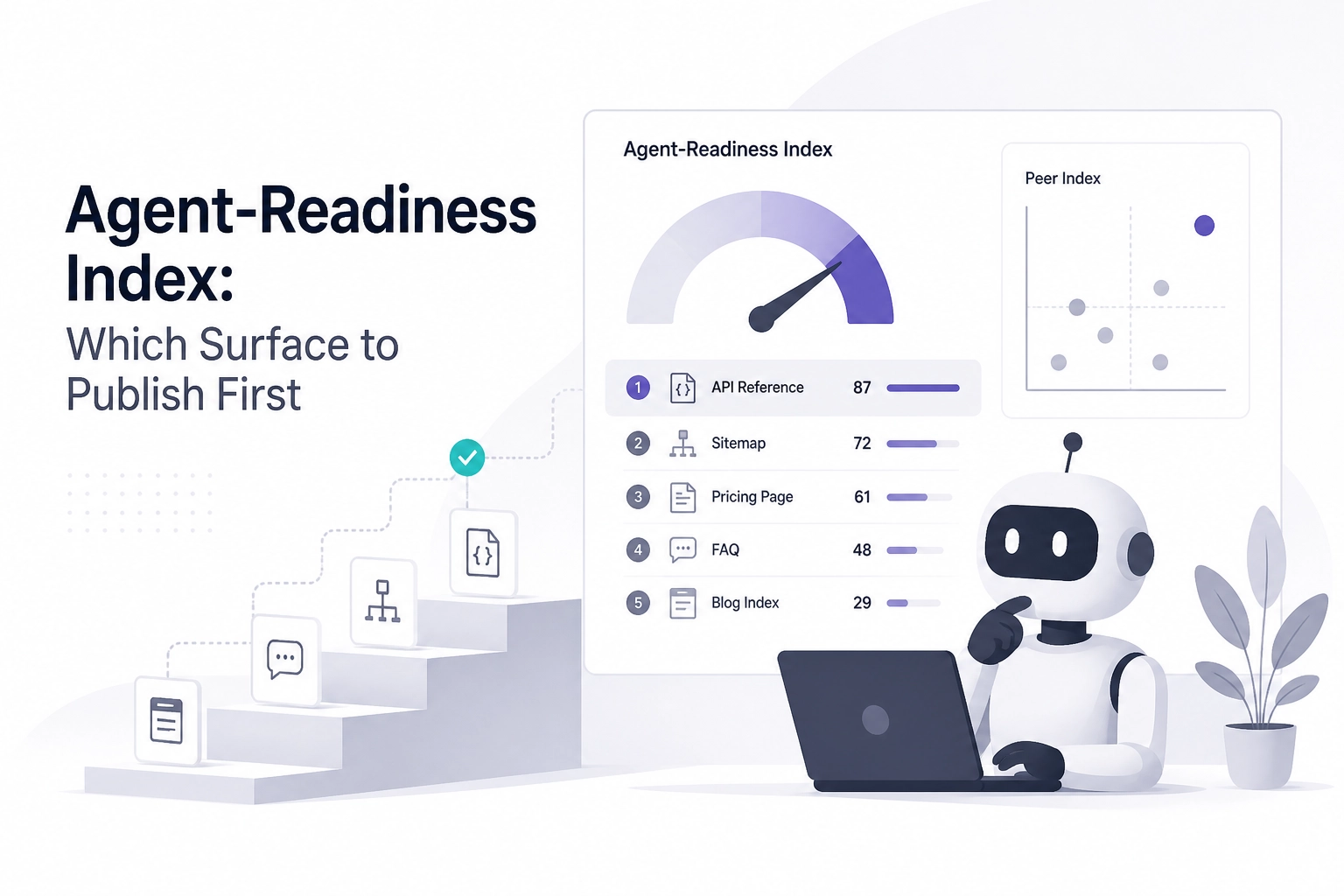
The Agent-Readiness Index is a map, not a ranking. It reports which discovery and machine-readable surfaces appear across 100 domains. The scan answers a different question: which checks your own domain passes. Pairing them tells you what to publish next.
This tutorial walks through that workflow. You will start by running the 21-check scan, then learn what a 100-domain index actually measures and how it differs from a per-domain check.
From there you will pick one discovery surface your peers publish and you do not, publish it, and verify with a re-scan. The post also covers what the scan cannot prove, and why the IETF's AGENTS.TXT draft (https://datatracker.ietf.org/doc/draft-car-agents-txt-wellknown/) is a candidate surface rather than a confirmed format.
Before you read the index, run the 21-check scan on your domain
curl -s -o /dev/null -w "%{http_code}\n" https://yourdomain.com/llms.txt
Run that on any domain you control. A 404 means the surface is absent. A 200 means something is served, not that it is correct.
An index of 100 domains tells you what other sites publish. It tells you nothing about which checks your domain fails, so start with a scan of your own site at https://moltlinestudio.com/agent-check.html. It returns a pass or fail list with the failing check names.
The scan is the only step in this workflow that produces data about your site. Everything the index gives you is a hypothesis about what to fix; the scan is where it becomes measurable.
Before you change any file, write down three things:
the domain you scanned
the failing check names
the date
That log is the diff you will read against after you publish.
isitagentready.com is an independent scanner and is not the same tool. Different check lists do not sum, so do not merge its output with the 21-check list. For how those layers differ, see what each readiness check covers.
What does a 100-domain agent-readiness index actually measure?
The index is a census of published surfaces, not a leaderboard.
For each domain in the sample, the index records which discovery and machine-readable surfaces exist at fetch time. A row means a surface was found. It never says your site is worse than a peer's.
Read the index's own method section before drawing conclusions. Two things decide what it can mean:
The list of surfaces tracked
The rules that mark a surface present or absent
This article does not restate that list. A surface list copied second-hand becomes a private standard nobody voted for.
Treat counts as descriptions, not thresholds. A line like "62 of 100 domains publish X" describes that sample on that date. It does not describe the web, and you do not fail for sitting under it.
Treat the domains as selected rather than sampled at random. A builder picking them tells you about what a set of peers considered worth publishing, not about the web. Use the index to see what peers consider worth publishing, not to estimate adoption.
If a figure has no date and no method, do not cite it. A 100-domain index cannot support an adoption trend even when it is built carefully. A 100-site scan produces a median check count instead, as one 100-site scan run shows. Stay with what the index literally records.
Agent-readiness index vs a 21-check scan: what is the difference?
The index and the free 21-check scan at moltlinestudio.com/agent-check.html answer different questions about different things.

Row | 100-domain index | 21-check scan |
|---|---|---|
Question answered | Which surfaces do these 100 domains publish? | Which of 21 checks does this one domain pass? |
Unit of analysis | A domain in someone else's sample | Your domain |
Output you get | A surface census with a snapshot date | A pass or fail list plus the failing check names |
What changes it | The index is rebuilt | Any deploy you make |
What it cannot tell you | Anything about your own files | What peers do, and which check your agent clients weight most |
The index can say "peers publish this surface and you do not." The scan can say "this check still fails on your domain." Neither one does the other's job, so read them as a pair, not as two scoreboards.
Both are point-in-time. Put the index's snapshot date and the scan's run time in the same sentence, or you will compare a snapshot against a file you edited last week. Dated snapshots age quickly, and licensing models that break down shows how fast undocumented assumptions go stale.
Which discovery surfaces are worth checking on your own domain?
Five surfaces come up repeatedly. Check each on your own domain before you decide what to publish.
llms.txt. A plain-text map served at a fixed path. Read the body, not the status code:
curl -s https://yourdomain.com/llms.txt | head -5.An MCP endpoint that answers protocol requests without a key. Read its server card, or open a session with
initializeand then runtools/list, and read what comes back. A signup page is not a surface. As a working reference,https://mcp.moltlinestudio.com/<server>serves 22 servers and 160 tools, 110 of them free with no account, key or signup. If you are still choosing a transport, the MCP transport setup guide walks through Streamable HTTP.JSON-LD you already ship. Count it before rebuilding it:
curl -s https://yourdomain.com | grep -c 'application/ld+json'. Zero means absent, not broken.api-catalog and .well-known documents. Confirm the exact path and response shape against the source you are implementing, not a blog post. RFC 9727 defines api-catalog as a Proposed Standard, and a wrong path plus right content reads as no surface at all.
AGENTS.TXT. An IETF Internet-Draft describing capability declarations for web agents.
A 200 on any of these only proves something is served. Verify the body, the content type, and that it parses as the format you claim.
How do I pick one surface to publish first?
With candidates in hand, the choice is mechanical, not strategic.
1. Filter by peer convention. From the index, list surfaces present on two or more domains in the sample and absent on yours. Two is a deliberate floor. One domain is an outlier, not a convention.
2. Intersect with your failing checks. Cross that list against the fail list from the 21-check scan. A surface the scan tests is one you can measure afterwards. A surface nothing tests is a guess with a deploy date. If you already route tool calls, route MCP calls the same way: pick, change, re-measure.
3. If the intersection is empty. Choose the surface you can verify with one curl and whose format is documented by someone other than you. Verifiability beats ambition. Permanent entries in the IANA well-known URIs registry are a reasonable filter.
4. Publish exactly one. Write the file, serve it at the path the source specifies, and keep the other candidates in a list rather than the same commit. One surface, one change, one re-scan.
5. Verify before scanning.
curl -sI https://yourdomain.com/llms.txt | head -3
If you document an MCP endpoint, link the server whose behaviour you describe from its entry on the server directory.
6. Re-run and diff. Compare the failing check names against your log. Record the date and the diff in one line. That diff is the only result this workflow produces. Wiring that client end to end starts from it.
Walk through publishing one surface and verifying it
With the surface picked, the work is short and mechanical.
Static file path. Write llms.txt as plain text: one URL per line with a short label. No navigation, no HTML, no marketing paragraphs.
# example.com
https://example.com/docs Docs
https://example.com/api API reference
https://example.com/changelog Changelog
Verify by reading the bytes a client sees, not just the status code:
curl -s https://yourdomain.com/llms.txt | head -5
Machine-readable path. If the surface is an endpoint instead of a file, prove it answers the protocol before you advertise it. Moltline's servers follow the 2025 revisions of the spec, so initialize comes first: a bare tools/list gets HTTP 400 with Bad Request: Missing session ID. Open a session, keep the mcp-session-id header it returns, then list the tools:
EP=https://mcp.moltlinestudio.com/catalog
H='Accept: application/json, text/event-stream'
J='Content-Type: application/json'
INIT='{"jsonrpc":"2.0","id":1,"method":"initialize","params":{"protocolVersion":"2025-11-25","capabilities":{},"clientInfo":{"name":"probe","version":"1.0"}}}'
curl -sS -D headers.txt -o /dev/null -X POST "$EP" -H "$J" -H "$H" -d "$INIT"
SID=$(grep -i '^mcp-session-id' headers.txt | awk '{print $2}' | tr -d '[:space:]')
curl -sS -X POST "$EP" -H "$J" -H "$H" -H "mcp-session-id: $SID" -d '{"jsonrpc":"2.0","method":"notifications/initialized"}'
curl -sS -X POST "$EP" -H "$J" -H "$H" -H "mcp-session-id: $SID" -d '{"jsonrpc":"2.0","id":2,"method":"tools/list"}'
The last call returns a JSON-RPC result whose tools array lists every tool on the server. To read the same list with no session at all, fetch the server card: curl -s https://mcp.moltlinestudio.com/catalog/.well-known/mcp/server-card.json. A premium tool called in a session without a licence returns premium_tool_requires_license pointing at the licence page, not an HTTP 402. If the endpoint is going into a client, connecting MCP to Claude covers the wiring side.
The diff. Re-open https://moltlinestudio.com/agent-check.html, scan the same domain, and compare the failing check names against your log. Copy before and after into your repo notes, and link the server entry you documented on the server catalogue beside it.
If a check still fails after a correct deploy, suspect delivery first: path, trailing slash, or a CDN rewriting the content type.
What an agent-readiness scan does not prove
A correct deploy and a changed check result is the end of the procedure, not proof of effect.
Usage is not measured. Nothing in this workflow reads agent traffic, referrals, or task success. One pass at one point in time proves less than a month of logs, and neither is collected here. How a surface is fetched can differ from how a client behaves in a real session, a distinction the comparison of browser session modes covers.
The check list is fixed. The scan runs 21 checks from its own list. Your clients may weight surfaces differently, and a check it does not run can matter more than one it does.
Unfinished surfaces cost more than they return. A stale llms.txt listing dead URLs adds maintenance and no discovery. Shipping nothing is a judgement call too, but plan the upkeep either way.
AGENTS.TXT is not settled. The capability-declaration draft is an IETF Internet-Draft, not a standard. Drafts can be revised, replaced, or expire after six months, so publishing to it pins your field list to a moving document. Verify the current text before deploying and recheck after a revision.
A pass gives you a verified surface, not a measured outcome.
Your next step: one surface, one re-scan
Log the scan before you touch the index. Run it now at the 21-check agent-readiness scan, enter your domain, and copy the failing check names into your notes with today's date. That list is the before side of the only diff this workflow produces.
Publish it at the path the source specifies, and verify the body rather than just the status:
curl -s https://example.com/llms.txt | head -5
Re-scan the same domain the same day. Log the before-and-after in one line, then stop. The second surface can wait until the first survives a month of deploys.
If the surface you are publishing is an MCP endpoint, start from a server whose behaviour you can already call, listed per server on the servers page, and describe it exactly as it responds.
Conclusion
A pass on one surface is a verified change, not a measured outcome.
Key takeaways:
The 21-check scan gives you a dated before-list for your own domain.
The index is a selected sample, useful as peer evidence, not as web-wide proof.
Specs under Internet-Draft status move, so verify the current text before and after deploying.
Publish exactly one surface, then re-scan the same day and stop.
Next step: run the scan now at https://moltlinestudio.com/agent-check.html, copy the failing check names into your notes, publish one surface, and verify the body rather than the status.
curl -s https://example.com/llms.txt | head -5
Log the before-and-after in one line. One surface that survives a month of deploys beats five that quietly rot.