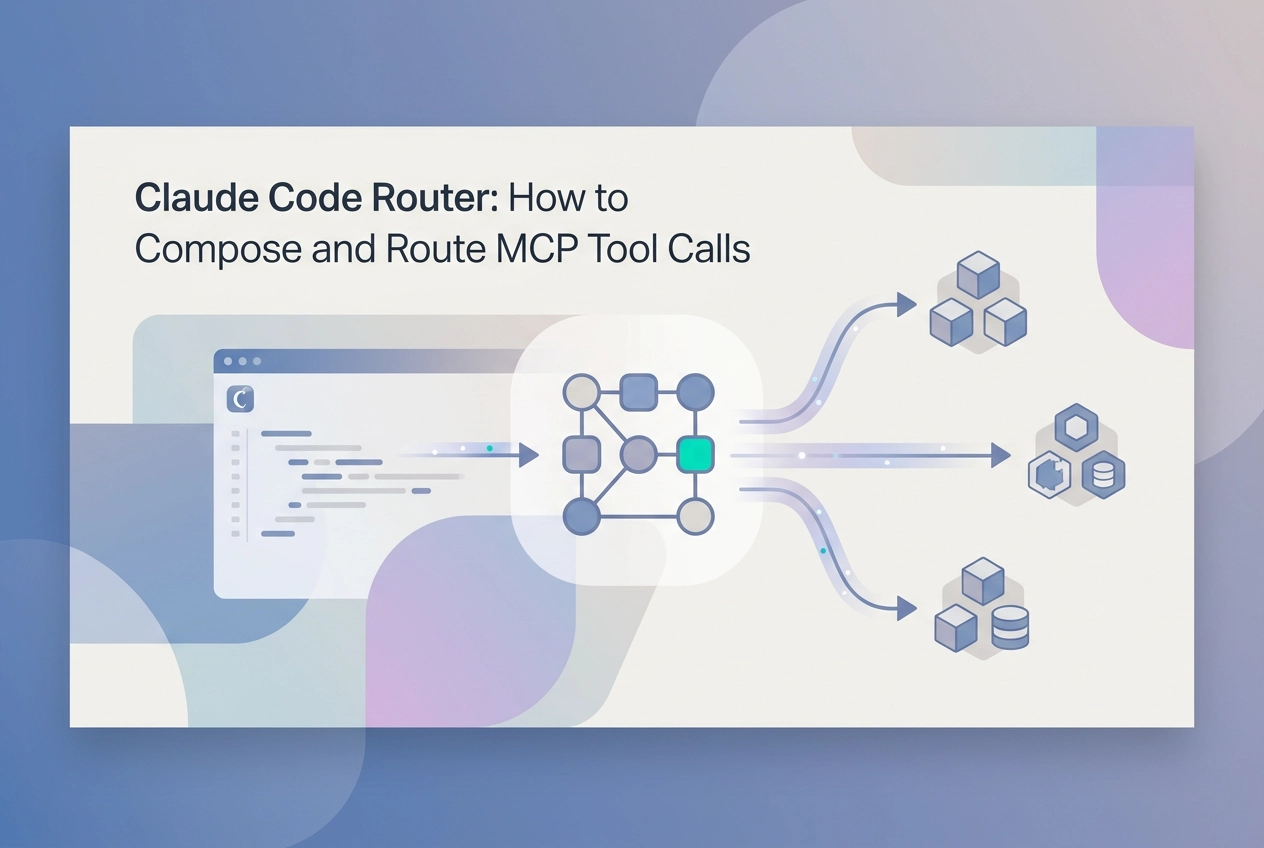
If you have searched for "claude code router" expecting a single, polished solution that intelligently dispatches tool calls across MCP servers, you have likely discovered that the ecosystem does not quite work that way yet. The term itself conflates several distinct problems: load balancing, tool selection, protocol translation, and entry point management. Untangling those concepts is where the real value lies.
This tutorial walks through how routing actually works within the Model Context Protocol ecosystem today. You will learn how MCP tool discovery functions, how to compose multiple MCP servers inside Claude Code, and when a proxy router layer is genuinely necessary versus overkill. Along the way, we will examine emerging patterns like Moltline Studio's HTTP endpoint convention and the experimental x402 payment challenge pattern for agent-driven workflows, which represents some of the most novel undocumented territory in this space.
Whether you are trying to wire together several single-purpose MCP servers or evaluate agent-readiness signals before committing to a routing strategy, this guide gives you a practical mental model and actionable next steps.
What 'Routing' Means in the MCP Context

Developers searching for a "claude code router" are usually asking one of four distinct questions, and conflating them leads to real configuration mistakes.
The four things people mean:
Load balancing across identical server replicas to spread traffic
Tool-name resolution across different servers, each exposing different tools
Protocol translation proxy, converting between transport formats or auth schemes
Single entry-point URL, one address that fans out to many upstream servers
In practice, Claude Code handles the most common case natively. You give it a list of MCP endpoints in its config file. When you issue a prompt, the client inventories every connected server's tool list and resolves the tool name to the correct upstream. That resolution happens inside the client, not in a separate proxy process. There is no middleware. There is no daemon.
This is where the HTTP routing analogy breaks down. An nginx reverse proxy routes based on URL path or hostname at the network layer, before any application logic runs. MCP routing is semantic: the client matches a tool name against a capability manifest returned during the session handshake, as defined in the MCP specification. The transport is already established. Nothing like nginx sits between Claude Code and an MCP server in a standard setup.
One thing worth stating plainly: no product called "Claude Code Router" exists as of 2026. Searching GitHub, the official MCP documentation, and academic literature returns zero results for it as a named tool. The phrase describes a pattern, specifically tool-name resolution at the client layer. Understanding that distinction is the prerequisite for everything in the sections that follow, including how to wire multiple MCP servers for Cursor, Claude Code, and Codex into a single working config.
How MCP Tool Discovery Works Today

Once you know what routing means at the client layer, the next question is practical: where do you find MCP servers to add to that config?
Three patterns exist today.
GitHub MCP Registry is the most centralized option. Servers are listed, you browse, clone or reference the repo, and run the server locally or host it yourself. It requires a GitHub account to contribute but not to read. There is no built-in payment mechanism. Quality signals are informal: star counts, README completeness, last-commit date. Time to first tool call depends on how long local setup takes.
Direct Streamable HTTP endpoint is the fastest path. You paste a URL into your Claude Code config and the tools are live immediately. No clone step, no local process to manage. Moltline Studio uses this pattern: paste mcp.moltlinestudio.com/<server> into Claude Code, no signup, no API key. 110 of the 160 tools across 22 hosted servers are free and available immediately.
Agensi is an emerging distribution channel for bundled agent tools and skills. It sits between a registry and a package manager in concept, focused on composed agent tooling rather than individual servers.
Here is how the patterns compare:
Pattern | Account required | Payment mechanism | Quality signal | First tool call |
|---|---|---|---|---|
GitHub Registry | No (to browse) | None | Stars, README | Minutes to hours |
Streamable HTTP | No | Varies by server | Varies | Immediate (no install step) |
Agensi | TBD | TBD | TBD | TBD |
The gap: no npm-equivalent exists for MCP. There is no mcp install <server-name> command that provisions a server and updates your config. You either know a URL or you browse a registry and wire things up manually.
That manual step compounds when you compose multiple servers. Each endpoint is a deliberate addition. If discovery is fragmented across three channels with different conventions, endpoint management becomes a maintenance problem before routing logic ever runs.
Composing Multiple MCP Servers in Claude Code
Once you know which endpoints exist, the next step is loading more than one into Claude Code simultaneously.
Step 1: Add your first Streamable HTTP endpoint.
Open .claude/settings.json (or your claude_desktop_config.json) and add an mcpServers block:
{
 "mcpServers": {
 "moltline-files": {
 // Moltline hosted file tools - no API key required
 "type": "streamable-http",
 "url": "https://mcp.moltlinestudio.com/files"
 }
 }
}
Restart Claude Code. Run /mcp to confirm the tool list loads. You should see the server name and its exposed tools listed.
Step 2: Add a second server in the same block.
{
 "mcpServers": {
 "moltline-files": {
 // Moltline hosted file tools - no signup needed
 "type": "streamable-http",
 "url": "https://mcp.moltlinestudio.com/files"
 },
 "moltline-search": {
 // Moltline hosted search tools
 "type": "streamable-http",
 "url": "https://mcp.moltlinestudio.com/search"
 }
 }
}
Claude Code loads both on startup. The key names (moltline-files, moltline-search) are your identifiers; they appear in tool call metadata.
Step 3: Handle tool-name collisions.
If two servers expose identically named tools, Claude Code resolves ambiguity using the server key you set in config, test with /mcp and the tool-trace output to confirm the correct upstream fires. Exact namespacing behaviour may vary across Claude Code versions. If behavior is ambiguous, rename the server key to something more specific; that changes how the client distinguishes the tools without touching the upstream URL. For binary conflicts with no clean alias, remove the lower-priority server from the config block and add it only when needed.
Step 4: Test each upstream separately.
Write one prompt per server that exercises a tool only that server exposes:
"List the tools available from moltline-files" targets the first server.
"Run a search query through the second server" should resolve exclusively through
moltline-search.
Check the Tool use trace in Claude Code's output to confirm which server handled each call. If the wrong upstream fires, tighten the tool description mismatch by renaming your config key.
For a related walkthrough using the same Streamable HTTP pattern with a media-focused server, see Wiring an Image MCP Server into Claude Desktop or Cursor.
Agent-Driven Routing and the x402 Payment Pattern
Static endpoint management works well when you know which tools you need before the agent runs. The x402 pattern removes that constraint.
When an agent calls a tool behind a paywalled endpoint, the server returns an HTTP 402 Payment Required response with a machine-readable price challenge in the body. The challenge specifies the cost and the payment address. No redirect, no checkout page, no human approval step.
The x402 flow runs like this:
Agent calls the tool endpoint
Server responds with 402 and a structured price payload
Agent reads the price from the challenge
Agent settles on-chain using a stablecoin wallet
Agent retries the original call with proof of payment
Server validates and returns the tool response
The routing implication is significant. An agent can now hit an unknown endpoint, discover the price, pay, and unlock a new tool surface, all within a single task execution. No developer has to update a config file between runs. The tool set the agent can access expands at runtime.
Live example: moltlinestudio.com/api serves a real x402 challenge. An agent can GET that endpoint, read the price from the response body, and settle on-chain in crypto. The full pattern is documented in the Autonomous Agent Commerce and the HTTP 402 Pattern write-up if you want the request-level detail.
Honest limitation: The x402 flow requires your agent to handle a 402 response, read the price payload, and submit payment proof before retrying, logic that you must wire yourself unless your framework explicitly documents 402 support. That is real implementation work before this pattern is usable in production.
Agent-Readiness and Quality Signals Before You Route
Discovering and settling paywalled endpoints at runtime is one challenge. Knowing whether an endpoint is worth calling at all is a separate one.
A poorly documented MCP server burns tokens before it does useful work.
Check the audit grade first. Each Moltline server has been graded through MCPize, which evaluates tool descriptions, parameter documentation, and overall agent-readability. Grades run A+ to B+. Every result is public; open the URL before you paste the endpoint into your config. A grade tells you whether the server will behave predictably under model-driven tool selection, not just whether it responds.
Run the agent-readiness checker on anything external. The free checker at Moltline Studio accepts any MCP server URL and returns a structured report covering description quality, schema completeness, and routing signals. Use it before committing an unfamiliar endpoint to a production config. You can review actionable takeaways from an agent-readiness score to understand what each finding means and which gaps are worth fixing before you route live traffic.
Use SKILL.md files to scope a tool without calling it. A SKILL.md is a machine-readable capability declaration that describes what a tool does, what inputs it expects, and what it should not be used for. 138 open skills are available at GarphenGate/moltline-oss on GitHub. An agent can read the file and reason about fit before making a single API call.
Practical rule: before adding any external server to a multi-endpoint config, check its audit grade and review its SKILL.md. Both steps are free and take under two minutes. Skipping them turns token waste into a recurring tax on every routed workflow.
When You Actually Need to Build a Proxy Router Layer
Once you have confirmed your servers are well-documented and audit-graded, the next question is whether Claude Code's native config is enough or whether you need something in front of it.
Most of the time, it is enough. A proxy layer is justified in three specific situations:
Multi-tenant deployments where each user must get isolated credentials forwarded to upstream servers. Claude Code's config is per-developer; it has no per-request identity injection.
Rate limiting per upstream server. If you need to cap how many tool calls per minute reach a specific endpoint, that logic has to live in an intermediary.
Centralized audit logging. If every tool call across all servers must land in one log store, a proxy is the natural collection point.
Minimal proxy sketch
The proxy is a thin HTTP service. It reads the tool name from the MCP JSON payload, matches a prefix to a route table, and forwards the full request to the corresponding upstream endpoint. The response passes back unmodified.
incoming MCP request
 -> inspect tool name prefix (e.g. "files_", "search_")
 -> route table lookup
 -> forward to upstream endpoint
 -> return upstream response
One implementation constraint matters above everything else: the proxy must preserve Streamable HTTP transport end-to-end. Buffering the full response body before forwarding breaks streaming. Dropping session headers breaks the MCP handshake. Understanding how an MCP server works, step by step before building will save debugging time on exactly this point.
Honest assessment
For a solo developer or small team, a proxy layer adds a service to deploy, monitor, and maintain. For cases outside those three, Claude Code's native config is sufficient, as covered earlier. Build the proxy only when one of the three scenarios above applies.
Next Steps
If you've worked through the proxy decision and concluded that Claude Code's native multi-endpoint config handles your use case, here is the shortest path to a working setup.
Start immediately, no account required. Paste mcp.moltlinestudio.com/<server> into your Claude Code MCP config. Replace <server> with the specific server name you need. One hundred ten tools are available at that endpoint with no signup, no API key, and no payment.
Before adding any external server to a multi-endpoint config, run the free agent-readiness checker on any unfamiliar endpoint before adding it to your config.
Every Moltline server has a public MCPize grade (A+ to B+), open it before routing production traffic. Browse the full server list and questions if you are unsure which endpoint fits your workflow.
**If 110 tools do not cover your requirements, the All-Access licence unlocks the full 160 tools across all 22 hosted servers for $19 per month, payable in cryptocurrency only. No additional config changes are needed after purchase; the same endpoint pattern works throughout.
Read the relevant SKILL.md at GarphenGate/moltline-oss before wiring a tool; 138 are open on GitHub.
Conclusion
Routing MCP tool calls in Claude Code comes down to four principles: understand how tool discovery works, compose servers intentionally, validate agent-readiness before routing live traffic, and read capability declarations before wiring unfamiliar tools into your workflows.
The readiness checker, MCPize grades, and SKILL.md files together reduce token waste and routing errors before any traffic runs.
Start with a single Moltline endpoint today. Run the readiness checker, review the audit grade, and add the server to your Claude Code config. One hundred ten production-ready tools are available immediately, with no signup required.
Better routing is not a future project. It is one config line away.