Most authentication flows were designed with a human sitting in the browser. That assumption is quietly breaking entire classes of agent deployments. When an agent needs to open a pull request, update a record, or authorize a payment, it cannot fill out a sign-up form, wait for an email, or rotate an API key through a dashboard. The handoff fails silently, and the transaction never completes.
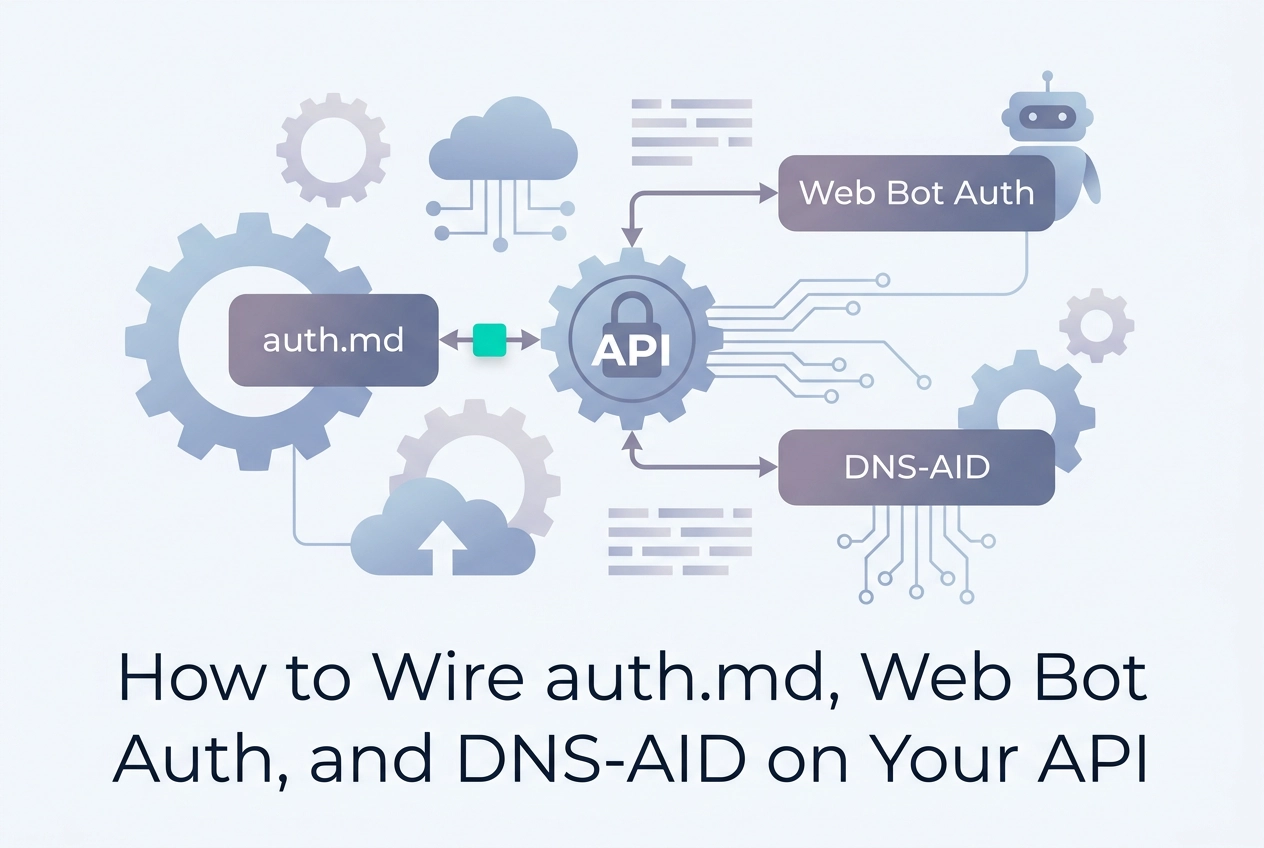
Agent infrastructure readiness demands more than publishing an llms.txt file. A service that wants autonomous agents to transact with it must expose three interlocking discovery primitives: an auth.md declaration that lets agents resolve OAuth Protected Resource Metadata without human intervention, a Web Bot Auth signal that explicitly permits bot-class traffic, and a DNS-AID record that makes the authentication anchor resolvable at the network layer.
This guide walks through each primitive in construction order, not as a checklist to verify but as a wiring diagram to build from. You will find concrete file examples, header configurations, and a DNS snippet ready to paste. By the end, you will understand how all three compose into a zero-human-in-the-loop auth surface, and where the stack typically breaks when one layer is missing.
Why Human-Centric Auth Breaks for Agents
An AI coding agent has no browser, no active session, and no capacity to click "confirm your email." When it reaches a login form or an email-verification gate, it stalls. That failure is not a configuration problem; it is a structural mismatch between how authentication was designed and how agents actually operate.
The mismatch becomes critical the moment an agent moves beyond read-only work. Opening a pull request, writing a database record, or settling a payment each require the agent to discover what scopes are needed, register a client, and authenticate, all in a single non-interactive flow. Auth friction is a production blocker nobody names directly, and the deeper you go into agentic workflows, the harder it bites.
The gap is not simply "OAuth versus API keys." OAuth 2.0 defines scope as a concept and exposes server metadata via RFC 6749, but nothing in a standard deployment tells an agent what credentials it needs before it tries, what permission sets are available, or whether a payment is required before access is granted. No machine-readable surface for that information exists by default.
Three primitives address different slices of that gap: auth.md for structured credential and scope discovery, Web Bot Auth for per-request header signals, and DNS-AID for zone-level discovery before the first HTTP contact. The differentiation is not in deploying any one of them; it is in wiring all three as a coherent stack. The gotchas that cost the most almost always trace back to treating these as independent features rather than ordered layers. Publish only one primitive and an agent stalls at the exact step the missing layer was supposed to handle.
Prerequisites
Before touching any of the three primitives, confirm you have the following in place.
A publicly routable domain with a document root you control. All three primitives are served or resolved from your site root or DNS zone. A localhost environment or a platform that restricts root-level file serving will not work.
A live OAuth 2.0 Protected Resource Metadata endpoint (RFC 9728). auth.md points to this JSON document; if the endpoint returns a 404, the file is decorative. The metadata object must include at minimum the resource identifier, authorization_servers, and scopes_supported fields. Stand this up before writing a single line of auth.md.
DNS write access to your zone. Step 3 adds a TXT record. If your DNS is managed by a registrar or a separate team, request write access now rather than mid-implementation.
Familiarity with HTTP response headers. Web Bot Auth is not a file. It travels as a response header on every relevant HTTP exchange. You need to be comfortable setting custom headers in your web server, reverse proxy, or CDN config, and you need to know which layer strips non-standard headers before they leave your infrastructure.
A test agent (optional but recommended). Running Claude Code, Cursor, or Codex CLI against your endpoint after each step catches integration failures in real time rather than all at once at the end. What we actually do at Moltline includes a free agent-readiness checker covering all three layers if you prefer an automated audit alongside manual testing.
None of these require new infrastructure if OAuth is already in your stack. The steps that follow assume all four hard requirements are met.
Step 1: Publish auth.md at Your Service Root
With prerequisites in place, the first file to publish is auth.md. Serve it at exactly https://yourdomain.com/auth.md. The path is fixed by spec; no redirect, no alternative location, no configurable slug.
auth.md launched in Q2 2026 under WorkOS as an open protocol built on OAuth standards. WorkOS AuthKit can generate the file automatically, but the protocol requires no AuthKit dependency. Any stack can serve it as a static file.
Required Fields
Four fields constitute a minimal valid auth.md:
name: human-readable service nameprotected_resource_metadata_url: the RFC 9728 endpoint you stood up in prerequisitesgrant_types_supported: list the OAuth grant types your server accepts (typicallyauthorization_code,client_credentials)scopes_required: separate read and write minimums explicitly
Optional but High-Signal Fields
Three optional fields materially improve agent behaviour:
contact: an address for agent registration issuesterms_of_service_url: link to your TOS documentpayment_required: set totrueand include apayment_urlpointing to your pricing page or x402 challenge endpoint
The payment flag is what lets an agent reasoning about structured skill declarations discover cost before attempting access, with no human payment step.
Minimal Working Example
- name: My API Service
- protected_resource_metadata_url: https://yourdomain.com/.well-known/oauth-protected-resource
- grant_types_supported: authorization_code, client_credentials
- scopes_required_read: read:data
- scopes_required_write: write:data, admin:records
- contact: agents@yourdomain.com
- terms_of_service_url: https://yourdomain.com/terms
- payment_required: false
Each field sits on its own bullet so agents can parse the file with a plain Markdown parser and no schema library.
Validation
curl -I https://yourdomain.com/auth.md
Confirm Content-Type is text/markdown or text/plain. Some agents reject application/octet-stream and silently skip discovery. Fix the MIME type at the server or CDN layer before proceeding to Step 2.

Step 2: Add Web Bot Auth Response Headers
auth.md gives an agent the full picture, but only after it fetches a file. Web Bot Auth delivers the signal earlier: as a response header on every HTTP reply, before the agent parses anything.
The core header is X-Robots-Auth. The name and exact value set may shift between draft revisions, so confirm against the current spec before shipping. Current draft values include none, bearer, and oauth2. A public, unauthenticated endpoint gets none; a token-protected route gets bearer or oauth2.
X-Robots-Auth: bearer
Placement matters. Set the header on your API root and on every protected resource path individually. An AI coding agent performing automated code review or PR creation hits individual paths, not just the root. If only the root carries the header, path-level discovery returns an inconsistent signal and the agent may proceed as if no auth is required.
Combine with WWW-Authenticate on 401 responses. Include the resource_metadata parameter pointing to your auth.md URL from Step 1:
WWW-Authenticate: Bearer realm="api", resource_metadata="https://yourdomain.com/auth.md"
This creates a self-reinforcing loop: the proactive header signals auth state on every response; the 401 header points back to the full auth declaration if the agent needs scope detail. No information is duplicated; each header does a different job.
CDN and proxy caveat. Many caching layers strip non-standard headers silently. A stripped X-Robots-Auth header produces the same result as no header at all. After deploying, verify with:
curl -v https://yourdomain.com/api 2>&1 | grep -i 'auth'
If the header is absent, check your proxy or CDN passthrough config before assuming the application server is misconfigured. The every check, and how many passed it index shows how commonly this layer is missing across real deployments.
Step 3: Publish a DNS-AID TXT Record
Headers cover the HTTP surface. DNS-AID covers the layer beneath it, before any HTTP connection opens.
What the record does
DNS-AID (Agent Identity Discovery) is a TXT record published at a well-known subdomain in your zone. The community implementation uses _agent.yourdomain.com; earlier drafts used _aid.yourdomain.com. The record encodes the auth.md URL, an agent registration endpoint, and optionally a base64url Ed25519 public key fingerprint for signed agent assertions. An MCP client performing tool resolution can read this record before making a single API call, surfacing your auth requirements at the protocol layer rather than waiting for a 401.
Paste-ready record
_aid.yourdomain.com. 300 IN TXT "v=aid1 auth=https://yourdomain.com/auth.md reg=https://yourdomain.com/oauth/register"
Add this to your zone file or DNS provider's TXT record UI. Substitute your real auth.md URL and OAuth Dynamic Client Registration endpoint. Confirm it resolves:
dig TXT _aid.yourdomain.com +short
TTL rationale
The 300-second TTL matches the lower bound of typical resolver cache windows. During rollout you will likely edit the record as you iterate; a 3600-second TTL means agents and resolvers hold a stale value for up to an hour. Start at 300 and raise it once the record is stable.
Honest caveat
DNS-AID tooling is thin as of mid-2026. Most MCP clients do not yet perform DNS-AID lookups automatically, and resolver support is uneven. Publish the record now so your domain is readable when clients adopt it. The pattern mirrors how implementing subscription-free skills with MCP servers works: wire the infrastructure ahead of broad adoption so nothing blocks agents when support lands.
How the Three Primitives Compose
With all three records published, the stack has a defined reading order. An agent resolves DNS-AID first, before making any HTTP request. If the TXT record is present, the agent extracts the auth field and goes directly to auth.md, skipping header inspection entirely.
If DNS resolution fails or the client does not support DNS-AID lookups, it falls back to the Web Bot Auth header on first HTTP contact. If the agent follows redirects but strips non-standard headers, it falls back further to fetching /auth.md directly. Each layer is a safety net for the one above it.
For sites exposing an x402 payment challenge, auth.md should include the pricing endpoint URL explicitly. An agent that reads the file can discover the cost and settle on-chain before attempting authenticated access. No human payment step is required.
The four readiness levels map cleanly onto this stack. The Three Layers of Agent Readiness covers the full framework, but the summary is:
Level 1:
auth.mdonly. Agents can discover what credentials are required.Level 2: Adds Web Bot Auth headers. Agents get per-request signals without fetching a file.
Level 3: Adds DNS-AID. Agents can discover requirements before the first HTTP contact.
Level 4: Adds x402 integration. Agents can pay autonomously and proceed without human involvement.
A site at Level 1 is already more machine-readable than most APIs currently deployed. Each subsequent level reduces round-trips. The goal is not perfection on day one; it is removing the next blocker between an agent and a completed action.
Validation and Common Failure Modes
Once each primitive is published, confirm it before moving on.
auth.md reachability
curl -sI https://yourdomain.com/auth.md | grep -E 'HTTP|Location|Content-Type'
The response must be 200 OK with no Location header. A 301 redirect to /auth.md/ (trailing slash) creates a canonical URL mismatch; some agents cache the redirected path and skip re-fetching the original, breaking discovery silently.
Web Bot Auth headers
curl -v https://yourdomain.com/api 2>&1 | grep -i 'auth'
A missing header almost always points to a proxy or CDN stripping non-standard headers upstream, not a server misconfiguration. Check your reverse proxy's proxy_pass_header or equivalent directive first.
DNS-AID resolution
dig TXT _aid.yourdomain.com +short
The output should be a single quoted string with v=aid1 parsing cleanly. Escaped internal quotes (\") break some TXT parsers and silently drop the v= field. If the record does not appear, allow for the TTL you set during publishing.
Readiness checker
The Moltline agent-readiness checker is free with no signup. It audits all three layers and returns a per-primitive status, making it useful after each individual step rather than only at the end.
Stable metadata URLs
The most common post-deployment failure: the protected_resource_metadata_url in auth.md returns a 404 because the OAuth endpoint was renamed. Treat that path as a permanent contract from day one; renaming it later breaks every agent that cached the file.
Conclusion
Once validation passes on all three layers, the implementation is done. For a site that already has OAuth in place, that entire sequence typically takes under an hour: auth.md is a static file drop, Web Bot Auth is a header config change, and DNS-AID is a single TXT record.
Order matters. Publish auth.md first because both Web Bot Auth headers and the DNS-AID record reference its URL. Add Web Bot Auth second because it fires on every HTTP contact and gives agents an immediate per-request signal. Publish DNS-AID third; tooling support is still thin as of mid-2026, so it rounds out readiness without blocking the layers that agents already use.
To see the full stack running in production, inspect the Moltline /api endpoint directly:
curl https://mcp.moltlinestudio.com/api
That endpoint serves an HTTP 402 x402 challenge. An agent can read the headers, discover the price, and settle on-chain with no human in the loop. It is a concrete reference for what auth.md, Web Bot Auth, and x402 look like when wired together.
To confirm your own implementation, run the free agent-readiness checker against your domain. No signup required. It audits each primitive separately and returns per-layer results you can act on immediately rather than diagnosing failures in aggregate.
These three primitives are not the finish line. Scope negotiation, signed agent assertions, and richer x402 settlement flows are still maturing. But a site that publishes all three today is already operating at readiness levels that most deployed APIs have not reached in 2026. That gap closes slowly; publishing now keeps you ahead of it.