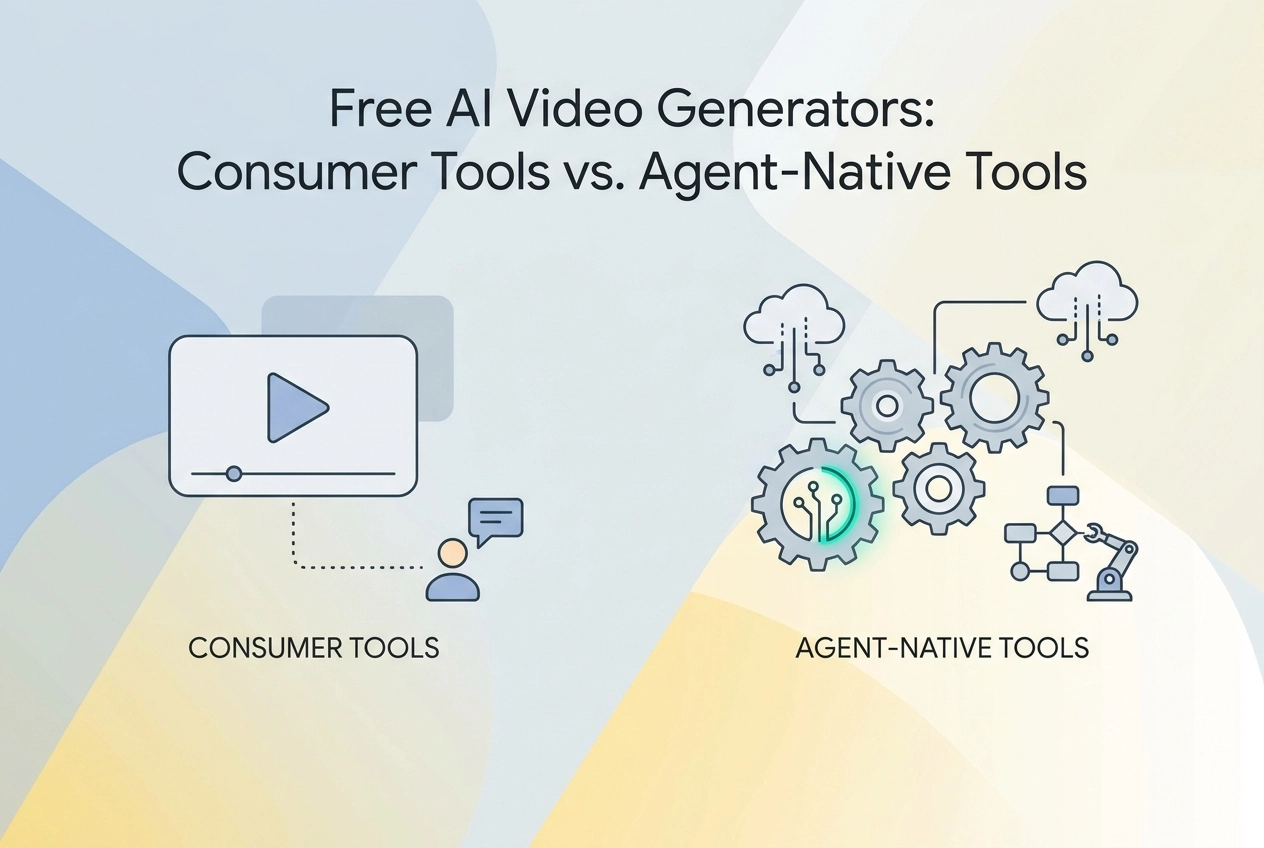
The landscape of AI-powered video synthesis has fractured into two fundamentally distinct paradigms, and most developers are still conflating them at their own cost. Whether you are evaluating a free AI video generator for rapid prototyping or architecting a production-grade automation pipeline, the tool category you choose will determine far more than your monthly spend. It will define your entire integration surface.
Consumer-facing generators like Runway, Pika, and Kling prioritize accessibility through polished interfaces, subscription tiers, and manual creative control. Agent-native tools, by contrast, expose programmatic APIs, support headless execution, and are designed to operate within orchestrated workflows without human intervention at each step.
This comparison breaks down the technical distinctions between these two categories: API accessibility, account and credit management, payment rails, and pipeline compatibility. By the end, you will have a precise framework for selecting the right tool class based on your actual use case, whether that is a standalone creative project or a fully automated, multi-agent content generation system.
The Consumer List: Top Free AI Video Generators in 2026
Most "best of" lists cover the same handful of platforms. They are worth knowing precisely because understanding their limits clarifies what the agent-native alternative needs to solve.
Credit limits and signup friction now rival raw generation quality as selection criteria for practitioners choosing tools. That shift is why free tier generosity carries real weight in these roundups rather than sitting as a footnote.
Kling is the free-tier benchmark most reviewers reach for. Its free tier is credit-based and refreshes on a schedule, clip length and output resolution are capped below the paid tier, and free-tier requests queue behind paid jobs. Motion interpolation is strong and character consistency is reliable, which is why reviewers use it as the reference point for comparing everything else.
The comparison table below uses Kling as the baseline:
Platform | Free Tier | Signup Required | Category |
|---|---|---|---|
Kling | Credit-based | Yes | Scene generation |
WaveSpeedAI | Credit-based, pay per generation | Yes | Multi-model aggregator |
HaiLuo | Credit-based | Yes | Scene generation (human motion) |
Pika | Credit-based | Yes | Scene generation |
Runway | Credit-based | Yes | Scene generation (cinematic) |
Luma | Credit-based | Yes | Scene generation (cinematic) |
Veo | Reached through other platforms | Yes (Google account) | Scene generation |
HeyGen | Free avatar plan | Yes | Avatar-led video, incl. multi-avatar scenes |
A few structural notes on the table. Free tiers differ in mechanics as much as in size, and those mechanics change often enough that any specific credit figure is stale by the time it is published. HeyGen sits at an angle to the rest rather than in a separate category: it is avatar-led rather than prompt-to-scene, but its Avatar Shots feature now places multiple avatars inside generated environments with camera moves and generated audio, so the older "talking head only" shorthand no longer holds. It is still the wrong comparison against Kling or Luma if what you want is a scene with no presenter in it. Veo is generally reached through other platforms rather than as a standalone free tool.
WaveSpeedAI deserves a specific note on architecture. It routes prompts to multiple underlying models through a single interface. A developer can submit one prompt and compare outputs across models side by side. That aggregator-and-routing pattern is structurally identical to what an MCP tool server does for agent pipelines: one interface, multiple specialized backends, unified access. The difference is that WaveSpeedAI still requires an account and charges per generation against account credits.
That last point applies to every platform in the table. Kling, Runway, Pika, Veo, HeyGen, Luma, WaveSpeedAI, HaiLuo: all require a human to authenticate before a single frame generates. For a developer building an agent that needs to call a video generation endpoint, the entire consumer list is the wrong starting point.
Why Consumer Free Tiers Break in Agent Workflows
Consumer video tools are built around one assumption: a human is present. Every signup flow confirms it. Email verification, OAuth consent screens, CAPTCHA challenges, and browser-initiated sessions all require a person to click, read, and respond. An autonomous agent cannot complete these steps without pausing for human input. That pause breaks the automation. The whole point of wiring an agent into a video workflow is headless, repeated invocation without supervision. A tool that requires a human to log in first is not compatible with that model, regardless of how generous its free tier looks on a comparison chart.
Credit Systems Push State Management onto the Agent
Consumer free tiers use credit systems designed for humans who can see their balance in a dashboard. An agent operating across sessions inherits three problems the consumer app solves invisibly. First, it must track remaining credits between calls, since no standard endpoint exposes a machine-readable balance. Second, it must handle credit exhaustion without crashing the broader workflow. A video generation job is computationally expensive; a single run can consume a meaningful fraction of a daily allocation. An agent queuing ten jobs, burning all credits on job three, and silently failing on jobs four through ten has no recovery path unless the developer has built explicit exhaustion handling. Third, session tokens on consumer tiers expire and require re-authentication, which cycles back to the OAuth problem.
Rate Limits Without Programmatic Introspection
Rate limits on consumer tiers are enforced at the account level, not the API-key level. When an agent exceeds the limit, it receives a 429 rejection. There is no machine-readable signal for remaining quota. The agent must implement its own exponential backoff and guess at headroom. Scraping a dashboard to retrieve quota state is fragile, terms-violating, and not a production pattern.
The Architectural Difference in One Table
Dimension | Consumer free tier | Agent-native free tool |
|---|---|---|
Signup required | Yes, email and OAuth | No |
Account management required | Yes, balance and token refresh | No |
MCP-compatible | Rarely, and only with an account | Yes |
Works by pasting a URL | No | Yes |
Agent can call autonomously | No | Yes |
Why the Exceptions Still Need an Account
A growing number of video providers now publish MCP server endpoints directly. Runway opened a hosted MCP server in May 2026, and Pika runs a remote endpoint of its own, published as an experiment rather than a finished product. What those endpoints remove is the browser, not the account: both still authorise against a signed-in vendor account and bill generations to the plan or wallet standing behind it. That is a real improvement in ergonomics and no change at all to the signup question. Moltline names the underlying problem plainly: consumer free tiers were never designed for agent-to-agent calls. That framing matters more than any individual tool recommendation, because the question developers should ask before integrating any video tool is not "how many free credits does it offer" but "can my agent call this without a human in the loop."
How the MCP Layer Works for Video Workflows
MCP changes the workflow at the integration layer, not the generation layer. The distinction matters for any developer building an agent video workflow in 2026.
Adding an MCP Server in Claude or Cursor
Open your MCP client settings and locate the server configuration block. Paste a server URL using this pattern:
https://mcp.moltlinestudio.com/<server-name>
Moltline's servers follow exactly that shape, with the endpoint directory published at the root of that host: paste the URL straight into Claude's MCP config or your Cursor mcp.json. No account creation, no OAuth flow, no API key provisioning. The 110 free tools across Moltline's 22 hosted MCP servers are available immediately after that single URL paste — none of which render video. Moltline hosts the deterministic tooling that sits around a generation pipeline, not the model that produces the frames. Once any server is registered, the agent discovers its tools automatically through the MCP protocol's tool-listing handshake. Against a generation server, you invoke the tool by name, pass typed inputs (prompt string, resolution, seed, reference image URL), and receive a typed response back: a video asset URL, a job status object, or rendered metadata. The agent can branch on that response without polling a dashboard or waiting for an email notification.
Register the endpoint, invoke the tool, handle the response. That is the complete interaction loop for MCP video tools.
What SKILL.md Files Contain
A SKILL.md file is a structured document that defines a single agent capability. It specifies what the skill does, what inputs it accepts, what outputs it returns, and any constraints such as rate limits, supported formats, or token budgets. The format is designed to be readable by both a developer reviewing it and an agent parsing it at runtime.
All 138 of Moltline's skill files are open on GitHub. Browse the repository directly to inspect the skill definitions that matter to your pipeline rather than relying on documentation summaries. The files are the specification. Having 138 open SKILL.md files in one place gives developers a public corpus of agent skill definitions they can read directly instead of inferring behaviour from marketing copy.
The Developer Experience Comparison
Whatever a consumer AI video generator promises about skipping signup, the path it actually routes you through is long and manual: create account, verify email, navigate the credit dashboard, submit a generation job, reload the status page to check progress, download the output. That sequence works for a human sitting at a browser. It does not compose into an automated agent pipeline.
The MCP path collapses that sequence to three operations: register URL, call tool with typed inputs, receive typed output. There is no session to maintain, no credit balance to manually check, no job queue to poll. A human and an agent hit the same endpoint with the same interface, so a workflow built this way does not need to be rebuilt when it moves from prototype to production.
The x402 Pattern: When an Agent Needs a Premium Tool
HTTP status code 402, "Payment Required," was reserved in the HTTP specification and then sat effectively unused for most of the web's history. The x402 protocol finally operationalises it as a machine-readable payment challenge.
The mechanics are straightforward. An agent calls a paywalled endpoint. The server returns a 402 Payment Required response containing a structured JSON body: amount, recipient wallet address, supported network, and a timeout. No redirect to a billing page. No login form. The agent reads the challenge, constructs a signed crypto payment, attaches it to the X-PAYMENT header, and retries the original request. The server verifies the on-chain transaction and returns 200 OK. Zero human approvals required at any step.
Moltline runs this pattern, and the placement of the challenge is the part worth getting right before you wire a video agent against it. A premium call made without a licence does not fail the way you would expect: the MCP endpoint answers HTTP 200, because the JSON-RPC transport is carrying a structured refusal rather than a transport error, and that refusal quotes the price and hands over a URL — https://moltlinestudio.com/api. The genuine 402 lives one hop away, at that URL. Fetch it and the payment demand arrives in the headers and the body together: USDC settled on Base, 19000000 in six-decimal units, i.e. USD 19.00. Sign it, put the transaction hash in the X-PAYMENT header, retry, and the licence key comes back — no browser and no checkout page anywhere in the loop your renderer runs inside.
The licence that comes back is a month of All-Access — every one of the 50 premium tools across the 22 servers, the identical thing a person buys at checkout, just settled without one standing there. There is no per-render meter behind it; an agent that needs a single premium call still takes the whole month, so the maths only makes sense once the pipeline leans on that tool repeatedly. The one piece the protocol does not provide is the wallet: it has to be funded ahead of the first call, and that funding step happens outside x402. For a human the same licence is $19 a month through NOWPayments, in cryptocurrency, dropped whenever it stops paying for itself.
Consumer video tools expose the structural contrast clearly. Where a vendor MCP server exists, as it now does at Runway and Pika, a purchased tier does become agent-callable — but only once a human has signed in through an OAuth consent screen and, at Pika, funded a wallet. Where no such server exists, access still depends on a session cookie from a browser login flow and the agent has no path to authenticate at all. Either way a person provisions the account before the first call, and that provisioning step is the one an agent cannot perform for itself. Set against a keyless endpoint, the contrast is architectural, not incidental.
The MCP Endpoint Gap in Video Tooling
Video tool providers have begun shipping MCP endpoints, but not in the same shape as each other. The differences in how they ship are the signal.
The signal to watch is placement. When a provider lists an MCP server alongside its CLI as an explicit product feature rather than burying it in a changelog, it is treating MCP as a standard distribution channel rather than a beta experiment. That framing shift is worth tracking because it reflects where the category is heading.
WaveSpeedAI is the instructive case, and not in the direction you would guess. It does ship an MCP server — an official one, published on GitHub — wrapping its image and video generation behind the protocol. But it ships as a local package you install and launch with a WAVESPEED_API_KEY in the environment, not as a URL you paste. The protocol support is real; the hosted, credential-free distribution is not. That is the more common shape of the gap in this category: not an absence of MCP, but MCP delivered in a form that still puts a key and a local process between your agent and the tool. MCP for AI video workflows is an active and documented use case, which makes that distribution question more visible, not less.
The three-question checklist
For any video tool you are considering wiring into an agent, run three checks:
Does it publish an MCP server endpoint?
Does it function without a signed-in browser session?
Does it expose a programmatic quota API?
Most consumer-facing free video tools fail at least two of these. Session dependency and absent quota APIs are the most common failure modes. A tool can have a documented REST API and still be agent-hostile if every call requires a cookie from an OAuth flow.
Moltline's free agent-readiness checker at moltlinestudio.com/agent-check.html scores a public domain against 21 checks — discovery and identity, machine-readable content, commerce and payment, trust and security, agent access hygiene — and names the fix for each failure. It answers the checklist above for a domain rather than for a specific tool endpoint, which makes it the right instrument for auditing a vendor's whole surface, and the wrong one for deciding whether one particular API call needs a cookie. Run that last check by calling the endpoint.
Two Tracks, One Keyword
"Free AI video generator" means two different things depending on who is searching.
If you are a human making videos, start with Kling or WaveSpeedAI's multi-model aggregator, which routes prompts to several underlying models through one interface. Both can be tried without committing to a paid tier immediately. Runway is viable if you need VFX control, but expect to hit the free ceiling fast.
If you are wiring video generation into an agent, the evaluation criteria shift entirely. Check whether the tool publishes an MCP server endpoint. Verify an agent can call it statelessly, with no browser session standing behind the request. Prefer tools where remaining quota is readable via API call, not only visible in a dashboard; an agent cannot parse a UI to decide whether to fire a generation job.
Moltline's 110 free tools are reachable by pasting a URL into any MCP client, no account required. The 138 SKILL.md files are open on GitHub. The premium tier is buyable over x402 at moltlinestudio.com/api, so an agent can settle the month itself with no human input — a monthly licence bought machine-to-machine, not a per-call charge.
Before committing to any integration, run the free agent-readiness checker at moltlinestudio.com/agent-check.html. Catching a session-dependent tool before you build saves a complete rewrite later.
Conclusion
The distinction between consumer video tools and agent-native platforms is not cosmetic; it is architectural. Choosing the wrong category means fighting your tooling at every integration point.

Three takeaways deserve emphasis: consumer tools like Runway and Pika excel at rapid, human-guided creative work but break down under programmatic orchestration. Agent-native tools prioritize determinism, API depth, and pipeline composability over polished interfaces. Your cost structure, latency tolerance, and automation requirements should drive the decision, not feature marketing.
Start by auditing your actual workflow. If a human approves every output, a consumer tool may serve you well. If video generation is a node inside a larger automated system, invest in an agent-native solution from day one.
The right tool does not just generate video. It generates leverage across your entire production pipeline.