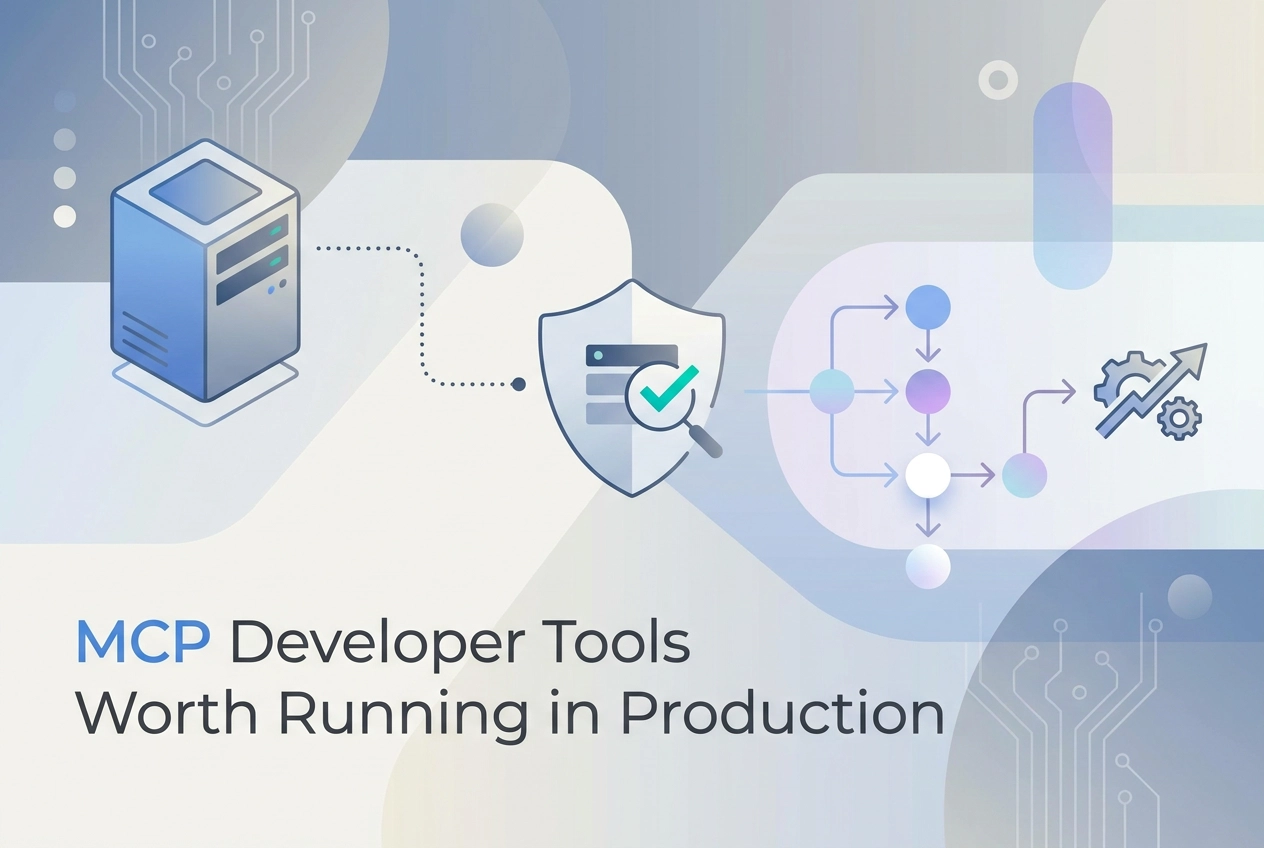
Most developers discover MCP servers the same way: they install one, watch it work, and immediately start wondering what else is possible. The protocol has matured quickly, and the ecosystem of developer tools MCP servers has grown from a handful of experimental projects into a legitimate set of production-ready utilities worth running every day.
But not all MCP tools are created equal. Some are impressive demos that fall apart under real workloads. Others are quietly indispensable once you integrate them into your workflow. The difference matters when you are deciding what to actually trust in a production environment.
This list focuses on MCP servers that hold up under scrutiny. Each one has been evaluated for reliability, practical utility, and the kind of depth that makes a tool worth keeping long-term. Whether you are building AI-assisted pipelines, managing infrastructure, or trying to give your language model meaningful context about your codebase, you will find something here that earns its place in your stack. No filler, no hype, just tools that do real work.
The Quality Problem in the MCP Ecosystem
Glama lists 22,775 MCP servers as of May 2026. MCPBundles estimates roughly 80 of them are worth running in production. That ratio is not a rounding error; it is the defining problem in the current MCP ecosystem.
The gap exists because most servers were built once and never touched again. Independent analysis of the public MCP corpus found 51% of repositories carry zero GitHub stars, 29% have not been updated in six months or more, and 16% have no README documentation at all. These are not niche edge cases; they are the statistical majority. When 67 million local MCP server downloads happened in April 2026 alone, most of that traffic was landing on servers in exactly this condition.
Security compounds the maintenance problem. BlueRock Security findings cited by MCPBundles show 41% of public MCP servers have no authentication at all, and 36.7% carry SSRF vulnerabilities. Only 8.5% implement OAuth. A July 2025 internet scan identified at least 1,862 publicly accessible MCP instances responding to unauthenticated requests. OWASP published an MCP Top 10 for 2026, and Checkmarx has documented real-world MCP security incidents including tool poisoning and cross-server shadowing as confirmed attack classes, not theoretical ones. Zuplo's 2026 State of MCP survey confirms security is the number one adoption blocker, ahead of tooling gaps and documentation.
The protocol itself is not the problem. MCP was donated to the Linux Foundation's Agentic AI Foundation in December 2025. OpenAI and Google DeepMind adopted it in early 2025. The spec is stable, governed, and production-viable. What is not stable is the server layer built on top of it.
Practical DevSecOps MCP security statistics for 2026 confirm at least seven high- or critical-severity CVEs spanning major MCP-integrated platforms as of May 2026. The demand signal is real; the quality signal is absent. Developers wiring agents into production need to treat server selection as a security decision, not just a capability decision.
What Production-Ready Means for an MCP Server
"Production-ready" is not a vibe. It is a checklist. Here are the five criteria that separate a server worth wiring into a workflow from one that will fail you quietly.
1. Transport: Streamable HTTP, not SSE
The current MCP spec lists two valid transports: stdio for local use and Streamable HTTP for remote deployments. HTTP+SSE is deprecated. Any server still serving only SSE is running on infrastructure the spec has already moved past. STDIO is not a remote option either; under 20 concurrent connections, one test recorded 20 out of 22 requests failing. If a server's documentation does not mention Streamable HTTP, treat that as a maintenance signal, not a minor detail.
2. Authentication: assume nothing is secured
OAuth 2.0 is the specified authentication path. Only 8.5% of public MCP servers have implemented it, per BlueRock Security analysis. That means the overwhelming majority run unauthenticated in environments that assume trust by default. Unauthenticated servers in agentic workflows are exposed to prompt injection and tool poisoning. Check the auth model before connecting anything to a live agent.
3. Hosting model: remote endpoints over local installs
An April 2026 analysis of 2,181 remote MCP endpoints found only 9% fully healthy; 52% were outright dead. Local installs compound this with version drift; each machine ends up running a different server version with no visibility into which one broke. A remote hosted endpoint eliminates both problems. Zuplo's 2026 State of MCP survey confirms API gateways have displaced local installs as the preferred hosting approach — a shift also visible in current enterprise deployment-platform comparisons.
4. Maintenance accountability: who is actually keeping it running
A GitHub repository with no commits in six months is not production tooling. Check commit recency, check whether issues get acknowledged, check whether a transport migration has happened since SSE deprecation. The person who built it needs to still be running it.
5. Audit grades: check before you connect
MCPize publishes per-server audit grades with public result URLs, produced by automated checks against the live server rather than by reading its README. It takes under a minute and is worth doing before any server touches a production workflow.
1. Moltline Studio — 22 Hosted Servers, 160 Tools, 110 Free
Twenty-two servers live at mcp.moltlinestudio.com/<server>. Each one runs over Streamable HTTP, the current active transport standard. Paste a server URL directly into Claude, Claude Code, Cursor, or Codex CLI and the tools register immediately. No local process, no config file, no install step. The endpoint is the integration.
110 of the 160 tools are free forever. No account. No API key. No signup form. A cold URL paste on a machine that has never touched the platform works on the first call. The remaining 50 tools unlock under a single All-Access licence at $19/month, settled in cryptocurrency through NOWPayments. There are no per-call charges and no credit meters that drain mid-workflow.
Every server carries a public MCPize audit result. You can open each result URL without an account. No other provider reviewed in current MCP roundups actively publishes per-server external audit scores as a trust signal; this is Moltline's own positioning claim and no third-party source reviewed here contradicts it. Given that 41% of public MCP servers have no authentication at all and 36.7% carry SSRF vulnerabilities, a public audit URL is a concrete data point rather than a marketing assertion.
The payment model goes one step further for autonomous workflows. A GET /api call returns an x402 HTTP 402 challenge. A headless agent can read the price, settle on-chain in USDC on Base, and proceed without a human in the loop. The protocol details live at moltlinestudio.com/protocols.html. This pattern does not appear in any competitor coverage reviewed for this post.
The studio is built and run by one person. The same person who wrote each server operates it and fixes it. That is a different accountability model from a directory that aggregates third-party wrappers and has no ownership of uptime or correctness.
The open layer is substantial. 138 SKILL.md agent skills are available at GarphenGate/moltline-oss on GitHub, with bundles distributed through Agensi. A free SKILL.md linter server at mcp.moltlinestudio.com/skillmd-lint and a free agent-readiness checker at moltlinestudio.com/agent-check.html round out the suite. A SKILL.md file is a plain-text skill definition: a name, a description that doubles as its trigger, and the instructions an agent follows; the linter validates those files before you wire them into a workflow. The checker scores any public domain on 21 checks; moltlinestudio.com itself scores 21 of 21, a figure the LaunchBuff product listing also carries, though a listing is a pointer, not an independent audit.
2. GitHub MCP Server
GitHub's official MCP Server is a first-party, vendor-maintained server, meaning GitHub itself ships and supports it. This matters because vendor-built servers track their own product's API changes directly; you are not waiting on a community maintainer to catch up after a breaking change. The server covers the operations most development workflows already need: repository management, issues, pull requests, code search, security advisories, draft PR toggling, reviewer requests, and discussions.
The hosted endpoint uses OAuth 2.1 with PKCE, which makes it part of the 8.5% of public MCP servers that actually implement OAuth, per the BlueRock Security analysis cited above; developer-facing roundups reach the same conclusion about which servers are safe to wire in. For team environments, that is not a minor detail. Authentication scopes are granular; a token scoped to a single repository is fundamentally different from one scoped to everything you can see. Treat minimum-privilege scoping as a requirement, not an option.
The scope is intentionally narrow. This server does GitHub and nothing else. When your agent needs to cross domain boundaries, such as querying a database, running browser tests, or reading local files, you wire in additional servers alongside it. That composability is by design in MCP; the GitHub server is one focused node in a multi-server stack, not a general-purpose tool.
Transport is Streamable HTTP, the current active standard. The older HTTP + SSE transport is deprecated as of the 2026-07-28 MCP spec release, so any guide referencing --transport sse is outdated. The server is compatible with Claude Code, Cursor, VS Code, and any compliant MCP host. Versioned releases are tracked on the repository's releases page, and active maintenance means security patches ship without waiting on a community maintainer.
3. Stripe MCP Server
Stripe's official MCP server lives at https://mcp.stripe.com and is built and maintained by Stripe's own engineering team. That provenance matters: deprecation risk tracks Stripe's own API lifecycle, not a third-party maintainer's weekend availability. The server's scope is deliberately narrow, covering customers, payments, subscriptions, invoices, refunds, and disputes. Nothing outside Stripe's own API surface is exposed. This is the canonical example of the pattern Zuplo's 2026 survey identified: 58% of builders wrap existing APIs rather than inventing new ones.
Transport is Streamable HTTP, not local stdio. No install step, no Docker container. Authentication is OAuth per the MCP specification, so clients receive revocable session tokens. One caveat worth noting: there is no read-only OAuth scope. The authorization server advertises a single mcp scope. If you want read-only access, you use a restricted API key instead, which trades a revocable session for a long-lived secret. Practitioners should weigh that trade-off before wiring this into an agent that touches live billing state.
The primary use case is eliminating dashboard dependency. An agent can read and modify billing state directly: pull a customer record, assess refund eligibility, issue the refund. No human opens a tab. For irreversible operations, pausing for human approval before execution is a defensible pattern regardless of what the server permits. The documentation carries a "Public preview" badge, so treat breaking-change risk accordingly before committing this to a critical billing workflow.
4. Supabase MCP Server
Supabase's MCP Server is first-party and vendor-maintained, meaning Supabase's own engineering team ships and supports it. The server exposes over 20 tools covering table design, schema migrations, SQL queries, Edge Function deployment, storage operations, and project management. Agents can read schema, generate TypeScript types, run reports, and manage migrations without a raw database credential sitting in the environment.
The hosted endpoint at https://mcp.supabase.com/mcp uses OAuth 2.1 with browser-based authentication. No personal access token is required for standard interactive use, which removes the earlier risk of tokens being accidentally committed to source control. Paste the URL into Claude, Claude Code, Cursor, or any compliant MCP client and the OAuth flow handles the rest. Read-only mode is available and enforced at the Postgres role level, which is worth enabling before granting an agent write access to anything resembling a production schema.
Seventy percent of MCP users already run two to seven servers simultaneously, per Zuplo's State of MCP survey. For teams whose stack includes a Supabase backend, this server is a natural addition alongside GitHub and a filesystem or browser tool.
One constraint worth stating plainly: this server is scoped to Supabase's own platform and is not a general-purpose Postgres proxy. If your Postgres instance runs on Neon, RDS, or a self-managed host, you need a different server. Supabase MCP will not reach it. Local CLI deployments also support a limited subset of tools and do not yet support OAuth 2.1, per current documentation.
5. Firecrawl MCP Server
Firecrawl is the standard choice when an agent needs to pull structured content from the live web. The hosted endpoint at https://mcp.firecrawl.dev/v2/mcp exposes six core operation categories: search, scrape, parse, crawl, map, and interact. The firecrawl_interact tool goes beyond passive retrieval; it clicks, types, and navigates dynamic pages. firecrawl_map discovers all indexed URLs on a domain before a crawl begins. Paste the endpoint into Claude Code, Cursor, or any compliant MCP client and the tools are immediately available with no local install required.
Keyless access is live. The scrape, search, and parse tools work without an API key on the free tier, rate-limited but functional. No account, no credit card required for basic usage. This no-signup entry point matches the emerging pattern across the MCP ecosystem; Firecrawl adopted it early. Crawl, map, and agent tools require a key to unlock. The documentation is direct about this tradeoff: keyless is an on-ramp, not a ceiling.
SKILL.md adoption is notable. Firecrawl exposes an endpoint at /agent-onboarding/SKILL.md, framed explicitly for autonomous agents fetching their own onboarding instructions. This is a concrete early signal that SKILL.md is gaining traction as a machine-readable readiness format beyond early adopters.
Know the scope limit. Firecrawl retrieves and structures web data; it does not write to databases, trigger workflows, or send requests to non-web services. When an agent needs to act on retrieved content, pair Firecrawl with a server that covers those downstream operations. Retrieval and action are separate concerns; wire them as separate servers.
6. Linear MCP Server
Linear's MCP server is built and maintained by Linear itself, using OAuth 2.1 with dynamic client registration as its primary auth flow. The hosted endpoint at https://mcp.linear.app/mcp covers issue management, project coordination, cycle operations, and team assignments across 21 tools. A read-only variant at https://mcp.linear.app/mcp/readonly exists for agents that should query but not write, which is a useful guardrail when deploying autonomous backlog management. No local install, no Linear CLI, no Node.js process required; it runs over Streamable HTTP and connects directly from Claude, Cursor, VS Code, or any compliant client.
The scope is deliberately narrow. These tools map to Linear's actual product surface and nothing beyond it. If your team runs Jira or Notion for project tracking, there is no use case here. If you run Linear, you get a first-party server with clear accountability, OAuth-scoped permissions, and no community-maintained drift risk. That combination makes it a straightforward inclusion for any agent workflow touching engineering backlogs or bug triage.
7. Figma MCP Server
Figma's MCP server is first-party, built and maintained by Figma's own engineering team. That provenance matters for the same reason it matters with GitHub or Stripe: deprecation risk tracks the vendor's roadmap, not a weekend contributor's availability.
The server exposes file structure, component metadata, variables, and layout data as structured, queryable context. This replaces the previous pattern of feeding a screenshot or raw API response to an LLM. Agents can pull design tokens, inspect component hierarchies, and generate code from selected frames with accurate design-system context attached.
The hosted remote endpoint is OAuth-secured and is the recommended deployment path. A desktop local server is also available via the Figma app for offline use.
The scope is read-heavy. Querying files, extracting variables, and inspecting components are the primary well-supported operations. Write capabilities exist, including creating frames, modifying components, and updating variables, but Figma documents them separately as more advanced workflows. The tool manifest evolves; check the current tools listing before designing any write-heavy agent pipeline. Figma's own documentation warns against selecting large, heavy frames due to performance slowdowns, which is a practical constraint worth building around.
8. Notion MCP Server
Notion's MCP server is first-party, built and maintained by Notion's own engineering team, with the hosted endpoint at https://mcp.notion.com/mcp running over Streamable HTTP. The server ships 18 tools covering search across an entire workspace, page creation and updates, database queries with filtering and pagination, and block-level operations. No local process, no self-hosting required.
Authentication is OAuth-only. Agents connect through a browser-based consent flow; the server holds the session and routes tool calls against the Notion API without a static integration token sitting in environment variables. That eliminates a common credential-exposure pattern. The tradeoff is real: fully headless background agents cannot complete the browser OAuth flow, so automated pipelines without a user present should use the Notion REST API with an internal integration token instead.
For interactive agent workflows, the server fits cleanly. An agent running in Claude Code or Cursor can pull documentation pages as context during code generation, query a project-tracker database for open issues, or write new entries back to a Notion database autonomously. Teams that already use Notion as a knowledge base get direct agent access without building a custom integration layer. Workspace permission scoping and rate-limit behavior are not documented in detail, so test against your specific workspace structure before wiring it into a production pipeline.
9. Vercel MCP Server
Vercel's first-party MCP server lives at mcp.vercel.com and launched in August 2025 as a Public Beta. It is built and maintained by Vercel's own engineering team, which keeps deprecation risk low and tooling aligned with platform changes. The server covers deployment management, environment variable operations, domain configuration, and project listing through discrete, agent-callable tools. Key tool names include vercel-list-all-deployments, vercel-create-deployment, vercel-get-environments, vercel-create-environment-variables, and vercel-get-project-domain.
Auth runs over OAuth 2.1. That layer is what enables fully programmatic control: an agent can trigger a deploy, inspect build logs, or roll back a release without a developer opening the dashboard. The distinction matters in CI-adjacent workflows where human dashboard access is a bottleneck.
Scope is the hard limit here. This server only covers Vercel-hosted infrastructure. If your deployment workflow spans multiple cloud targets, mcp.vercel.com handles one leg. You need a complementary server for each additional target. Wire them into the same agent pipeline and scope the OAuth permissions to the minimum required; the token surface for deployment infrastructure is a live risk area and granting write access across multiple platforms compounds that exposure.
Security Checks Before Adding Any MCP Server
Five checks. Run them in order before any server touches your environment.
1. Verify the auth model. Ask a direct question: does this server use OAuth 2.1, a static API key, or nothing at all? The November 2025 MCP specification formalized OAuth 2.1 as the authentication standard for remote servers. Adoption lags badly in practice. Roughly 41% of public MCP servers run with no authentication whatsoever, per BlueRock Security findings. No auth means every tool call the server exposes is reachable by anyone who discovers the endpoint. Treat no-auth as an automatic risk flag requiring compensating controls before connecting.
2. Check for an MCPize audit grade. MCPize publishes audit grades with a public result URL per server. An ungraded server is not automatically unsafe; most servers have never been submitted. A graded one gives you documented, referenceable evidence to point to when justifying a tool adoption decision. Moltline Studio's servers carry MCPize audit grades at public result URLs, which is currently uncommon across the broader ecosystem.
3. Confirm the transport layer. Streamable HTTP is the current active standard. HTTP+SSE is deprecated infrastructure. A server still using only HTTP+SSE may not be actively maintained, and maintenance gaps correlate directly with unpatched vulnerabilities. Check the server documentation before connecting.
4. Identify the operator. A GitHub repository with one commit and no issue responses is not production tooling, regardless of how polished the README looks. Confirmed first-party servers from GitHub, Stripe, Supabase, Vercel, Linear, Figma, and Notion carry lower operator risk because they are accountable, maintained organizations. Accountable single-operator servers with a visible track record reduce the same risk. Anonymous repos with no support surface do not.
5. Test for SSRF in a sandboxed environment first. 36.7% of public MCP servers carry SSRF vulnerabilities, per BlueRock Security. Any server that makes outbound HTTP calls based on tool inputs, without validating those inputs, creates a path for probing internal network resources or cloud metadata endpoints. Run the server in a network-isolated environment before wiring it into anything that touches production infrastructure.
SKILL.md: The Layer Below the Tool Call
MCP tools define capability. A SKILL.md file defines reasoning. The difference is consequential when an agent is chaining four or five servers in sequence: without a skill layer, the agent knows what it can call but has no structured guidance on when to call it, in what order, or how to handle ambiguous results between steps. That gap compounds across each additional server you wire in.
SKILL.md is gaining traction as a first-class agent-readiness artifact. Firecrawl links to a /agent-onboarding/SKILL.md endpoint directly from its own site. Moltline publishes 138 free skills at GarphenGate/moltline-oss on GitHub, covering common agent reasoning patterns that pair with tool servers rather than replace them.
Malformed skill files fail silently. An agent will load a structurally broken SKILL.md without throwing an error, then select the wrong tool, sequence steps incorrectly, or waste context window on repeated clarification loops. The free SKILL.md linter, hosted at mcp.moltlinestudio.com/skillmd-lint, catches structural errors before a skill file is loaded, addressing a failure mode that is easy to miss in development and expensive in production.
Before wiring a vendor's tools into an autonomous workflow, run the free agent-readiness checker against that vendor's domain. It scores the public surfaces an agent depends on across 21 checks, covering discovery documents, machine-readable content, commerce records, security posture and access hygiene, and names the fix for each failure. It surfaces gaps that a passing connection test will not catch.
None of the current "best MCP servers" roundups treat SKILL.md as a required companion to tool discovery. Most multi-server setups ship tool access without a reasoning layer alongside it. That is the gap.
Start With Free, Audit Before You Commit
The usable subset of MCP servers is small. Apply the production criteria from earlier in this post before any server touches a live agent workflow. Most servers fail on transport, auth, or maintenance accountability before you get to tool quality. For a starting shortlist, we probed the hosted directories in September 2026 and recorded which hosted MCP servers answer a cold paste with no account and no API key.
For first-party platform servers, the decision is simpler. GitHub, Stripe, Supabase, Vercel, Linear, Figma, and Notion each publish and maintain their own hosted endpoints. Auth and deprecation accountability are the vendor's problem, not yours. Add them based on whether they match your existing stack.
For broader tooling, paste mcp.moltlinestudio.com/<server> into your MCP client. One hundred and ten tools activate on a cold URL paste with no account, no API key, and no signup. The All-Access licence at $19/month, settled in cryptocurrency, unlocks the remaining 50.
Before committing any server to production, run the free agent-readiness checker against its operator's domain. Then check GarphenGate/moltline-oss for SKILL.md skills that complement the tool calls you are already wiring. Skills define reasoning context; tools define capability. You need both.
If your agent needs to discover and settle tool pricing autonomously with no human in the loop, the x402 /api endpoint at Moltline handles that flow end to end; none of the first-party servers on this list put their own tools behind a 402 challenge.
Conclusion
The MCP ecosystem has moved past the experimental phase, and the tools worth running in production are clearly separating themselves from the rest. The best MCP servers share a few traits: they handle real workloads without breaking, they integrate cleanly into existing workflows, and they deliver genuine utility rather than novelty.
When evaluating any MCP server for production use, prioritize reliability over features, and depth over demos. The right tools will quietly become infrastructure you depend on daily.
Start small. Pick one or two servers from this list that address your most immediate needs, integrate them properly, and evaluate their performance under your actual workload. Once you see the difference a well-built MCP tool makes, expanding your setup becomes an obvious next step. The protocol is mature enough now; your tooling should be too.