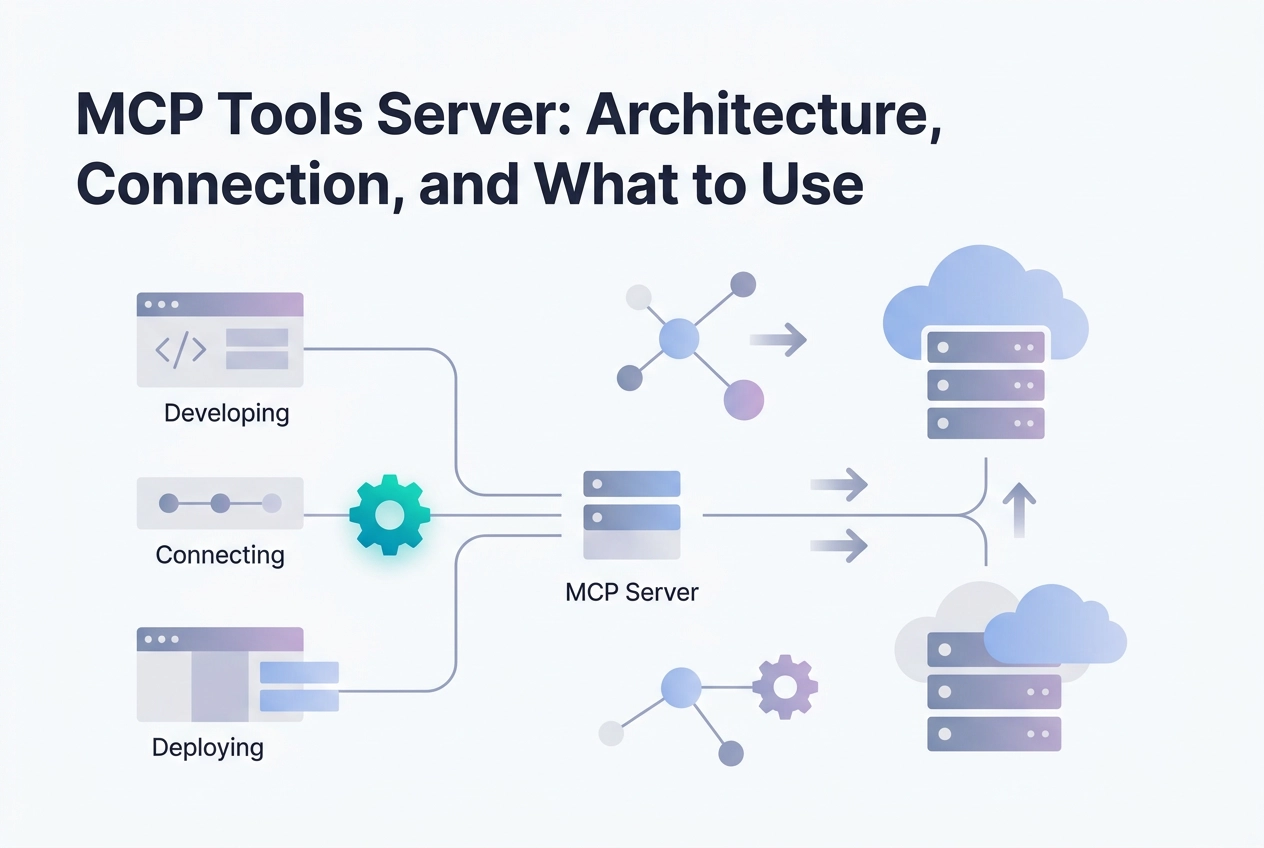
Every AI integration eventually hits the same wall: you have a capable model, a useful tool, and no clean way to connect them without writing yet another one-off adapter. That bottleneck is exactly what an MCP tools server is designed to eliminate.
MCP, the Model Context Protocol, is an open interoperability standard built on JSON-RPC 2.0. It gives AI applications a consistent interface for reaching external data sources and tools, regardless of which model or client sits at the other end. Build the server once, and it works everywhere MCP is supported.
In this tutorial, you will walk through everything you need to move from concept to working connection. You will learn how MCP separates the host, client, and server layers, compare stdio and Streamable HTTP transport options, and understand what separates a production-ready server from a prototype. You will also explore where to find servers across registries like Find MCP and the Claude Directory, connect a live server in under two minutes, and see how the emerging HTTP 402 pattern enables agent-callable paywalls for autonomous payments. By the end, the architecture will be clear and you will have a concrete path forward.
How MCP Separates Host, Client, and Server
MCP defines three distinct roles, and understanding the split is prerequisite to wiring anything together correctly. If you want a fuller grounding before diving in, what an MCP server actually is covers the fundamentals.
The host is the application the user directly operates: Claude Desktop, Cursor, Codex CLI, or any other compliant AI application. It owns the user interface and decides when to invoke tools.
The client lives inside the host. It manages the JSON-RPC 2.0 session from initialisation through to teardown, handling capability negotiation, message routing, and session lifecycle. The client is invisible to the user but does the protocol heavy lifting.
The server is a separate process that exposes three primitives to the client: resources (contextual data), prompts (templated interactions), and tools (callable functions). The server has no knowledge of which model or host is consuming it. It only speaks JSON-RPC 2.0.
That independence is the architectural payoff. Because the server is decoupled from both the model and the host, a single server deployment works with every compliant client without rebuilding or adapting any integration logic per pairing.
Before MCP, connecting a tool to multiple AI applications meant writing a custom connector for each combination. The three-layer split collapses that into a single interface contract. Build the server once; any compliant host connects to it.
For common production questions about this architecture, the frequently asked questions on MCP infrastructure covers the edge cases worth knowing before you go further.
Transport Options: stdio vs. Streamable HTTP
Once you have the host/client/server architecture in place, the next decision is how the client and server actually exchange messages. MCP defines two standard transports, and choosing the wrong one creates real operational friction.
stdio spawns a local subprocess and communicates via standard input and output. No network hop, minimal latency, and the process lifecycle is managed by the host. The constraint is hard: the server only exists on the machine that launched it. You cannot share a stdio server across a team or call it from a remote agent pipeline without replicating the process on every machine involved.
Streamable HTTP exposes the server at a persistent URL. The client sends JSON-RPC 2.0 messages over HTTP POST; the server responds with a JSON object or an SSE stream. No local process to manage, no install step on the client side. A hosted endpoint looks like this:
https://mcp.moltlinestudio.com/<server>
Paste that URL into Claude, Claude Code, Cursor, or Codex CLI and the tool list registers immediately. No configuration beyond the URL itself.
Which transport to use
Use stdio when the tools need local access you should not route over a network: filesystem reads, local shell commands, or anything where an outbound dependency introduces unacceptable risk. The MCP baseline for production agents covers why keeping sensitive operations local matters as agent pipelines scale.
Use Streamable HTTP when the same tools need to serve multiple clients, multiple machines, or an automated pipeline with no coordinated local install. Shared tooling, hosted APIs, and agent workflows all fall here.
One honest limitation: Streamable HTTP requires the client to reach the endpoint host over the network. If the client runs in a restricted environment with no outbound access, the URL will not resolve and the tool list will be empty. Confirm reachability with a plain HTTP GET before wiring the endpoint into a pipeline.
What Makes an MCP Server Production-Ready
Choosing the right transport gets you connected. Whether the server is worth connecting to is a separate question.
Tool descriptions are the single biggest quality signal. A model selects tools by reading their descriptions. If a description is vague, the model either picks the wrong tool or invents argument values to fill gaps. Both outcomes produce silent failures with no obvious error to trace. Precise descriptions name the exact parameters, their types, and what constitutes a valid input.
Idempotency matters for any tool an agent might retry. Network failures happen. An agent that retries a non-idempotent call, such as a write or a webhook trigger, can accumulate side effects with no warning. Where the operation's semantics allow it, design tool calls so that calling them twice with the same arguments produces the same result as calling them once.
Response payloads should carry the minimum tokens required. Every token in a tool response occupies context window. In a long agent run across many tool calls, bloated responses raise cost and push earlier context out. Return only what the model needs to proceed.
Error messages must be actionable. A raw stack trace gives the model nothing useful. An error response that states the cause, whether the operation is retryable, and what the correct action is lets the model decide autonomously: retry, fall back, or surface the failure to the user.
For hosted servers, use public audit data rather than marketing copy. MCPize grades MCP servers from A+ to B+ across objective criteria, and each result sits at a stable public URL anyone can open. What production-ready means for an MCP server covers how those grades map to practical deployment risk.
Validate behaviour before you commit. A free tier lets you run real tool calls against a live server and confirm it behaves as documented before signing up for a paid plan or investing time in a self-hosted deployment.
Where to Find MCP Servers
Once you have a clear picture of what makes a server production-ready, the next step is knowing where to look.
Claude Directory indexes 252 MCP servers tagged for developer-tools use cases as of August 2026, filterable by category and transport type. It is a practical starting point if you are targeting Claude Code specifically.
Find MCP catalogs 17,000+ servers across the broader ecosystem. You can filter by transport (Streamable HTTP or stdio) and by capability, which makes it useful when you know what a tool needs to do but not which server does it.
GitHub is worth searching directly for common integrations. Notion, GitHub, and BigQuery all have open-source MCP server implementations ready to fork or deploy without building from scratch.
Moltline Studio hosts 22 servers exposing 160 tools at mcp.moltlinestudio.com. 110 tools are free with no account, no API key, and no signup. The remaining 50 unlock with a $19/month All-Access licence. You can paste any endpoint directly into Claude, Claude Code, Cursor, or Codex CLI. For a broader view of what is available across the catalogue, the community list of recommended servers covers options beyond the free tier.
Specialisation is a useful filter when comparing what you find. A server built around one problem, such as code intelligence, CVE scanning, or infrastructure primitives, tends to produce more reliable tool descriptions and fewer irrelevant results than a general-purpose bundle. Narrow scope usually means the tool descriptions are sharper, which reduces the chance of a model selecting the wrong tool or hallucinating arguments.
Connecting an MCP Tools Server in Under Two Minutes
Once you have an endpoint in hand, registration is a single command or a three-field form depending on your client.
Claude Code
claude mcp add --transport http <server-name> https://mcp.moltlinestudio.com/<server>
Replace <server-name> with a local alias of your choosing and <server> with the server path. The tools register immediately; no restart required.
Cursor
Open Settings > MCP, add a new server entry, set transport to Streamable HTTP, paste the endpoint URL, and save. Tools appear in the active session without restarting the editor.
Codex CLI
Pass the flag inline:
codex --mcp-server https://mcp.moltlinestudio.com/<server>
Or add a persistent entry to .codex/config.yaml:
mcp_servers:
 - url: https://mcp.moltlinestudio.com/<server>
The same pattern applies to any Streamable HTTP endpoint, not just Moltline's. If you are integrating image tooling specifically, the walkthrough for wiring an image MCP server into Claude Desktop or Cursor covers the steps in full detail.
Verifying the connection
Ask the model directly: "List the available tools." It should return the tool names and descriptions served by the endpoint. If the list comes back empty, two checks resolve most cases:
Reachability: run a plain
GETagainst the endpoint URL. A 200 or 405 response confirms the host is up. A timeout or DNS failure means the client cannot reach the server.Transport mismatch: confirm the client is set to Streamable HTTP, not stdio. Selecting the wrong transport type silently produces an empty tool list with no error.
Moltline's 110 free tools need no account or API key, so there is no credential step to troubleshoot on first connection.
Agent-Callable Paywalls and Autonomous Payment with HTTP 402
Once your tools are connected, you may want to monetise them without adding a sign-up flow or a separate billing portal. HTTP 402 and the x402 challenge format make that possible at the protocol level.
HTTP 402 Payment Required has been reserved in the HTTP specification since the 1990s. No standards body standardised a payment mechanism around it until recently. The x402 protocol fills that gap: a server returns a 402 response with headers advertising the price and a settlement address. The client reads those headers, constructs a payment, and retries the request with a signed payment payload. The server verifies the payment and returns the resource. No human approves anything in the loop.
The exchange works in three steps:
Agent requests the resource; server responds
402with aPAYMENT-REQUIREDheader containing the price and on-chain settlement address.Agent creates and signs a payment payload; retries with a
PAYMENT-SIGNATUREheader.Server verifies the payment and returns the result with a
PAYMENT-RESPONSEheader.
Moltline's /api endpoint implements this flow. An agent can hit it, receive the challenge advertising the $19/month All-Access price, and settle autonomously using cryptocurrency. No pre-registration is required. You can read the full protocol detail on the x402 payment-as-an-HTTP-status-code page.
For MCP server developers, this pattern solves a real problem. Billing UIs require users to pre-register. Per-call API keys require management overhead. HTTP 402 plus x402 lets the server advertise its own price and accept payment inline, with the agent acting as the buyer.
Almost no public MCP tooling documents this approach yet. Implementing it cleanly is a genuine differentiator if you are building agent-native tooling that needs to be self-sustaining without a separate SaaS layer.
Next Steps
Here are five concrete actions to take now.
Paste a free endpoint into your MCP client. Pick any server at mcp.moltlinestudio.com/<server>, add it as a Streamable HTTP entry in Claude Code, Cursor, or Codex CLI, and the tools register immediately. No account, no API key, no signup. 110 tools are available this way.
Run the agent-readiness checker on your own integration. Silent failures in production usually trace back to gaps that surface early under inspection. The free checker identifies those gaps before they cause problems. See the actionable takeaways from your agent-readiness score for a breakdown of what each result means.
Browse the 138 open SKILL.md specifications. The repository at GarphenGate/moltline-oss on GitHub contains structured, lintable action definitions your agents can consume directly. Each specification defines what a skill does, what inputs it expects, and what output it returns, in a format a model can parse reliably.
Run the SKILL.md linter before wiring anything into a live pipeline. A skill definition that passes linting has consistent field names, no ambiguous parameter types, and descriptions tight enough for a model to select the right action without hallucinating arguments. Validating at this stage is cheaper than debugging a misfiring agent mid-run.
Check MCPize audit grades for any hosted server you are evaluating. Each server has a public result URL with a grade from A+ to B+. The grade reflects tool description quality, response structure, and other production-readiness signals. Use it alongside the feature list, not instead of it.

Conclusion
MCP's host-client-server split gives you a clean foundation for building agents that actually work in production. Transport choice matters: stdio for local tools, Streamable HTTP for anything remote or multi-tenant. Production readiness goes beyond a working connection; it requires tight tool descriptions, predictable response structures, and graceful error handling.
The ecosystem is already large and growing. Between open registries, hosted servers with public audit grades, and SKILL.md specifications your agents can parse directly, you have enough to build something real today.
Your next move is simple. Run the agent-readiness checker, browse the open specifications, and validate every skill definition before it reaches a live pipeline. The infrastructure for capable, autonomous agents is in place. What you wire together from here determines how far they can go.