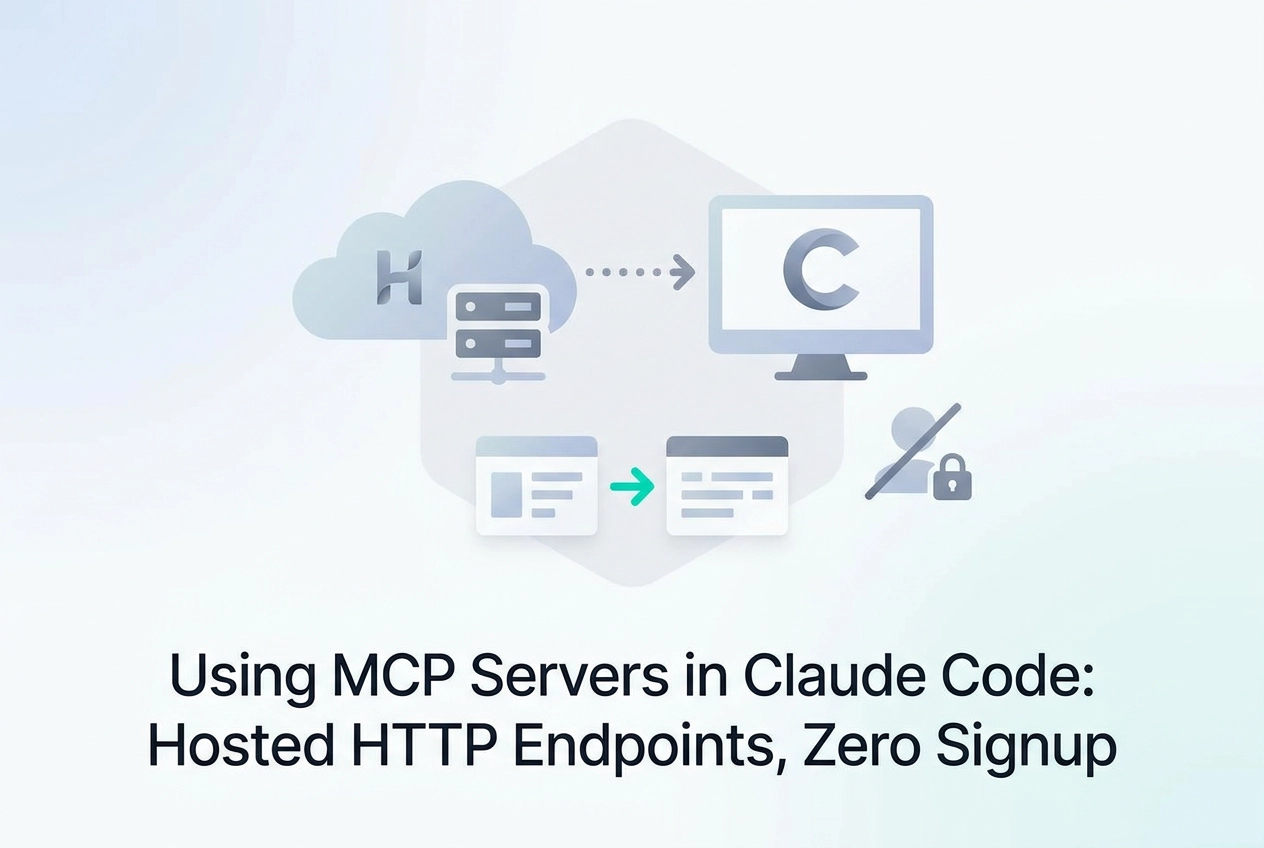
Most developers discover MCP servers the same way: buried in a changelog, halfway through a project, wondering why they didn't set this up sooner. If you're working in the claude code web environment, you're already closer to production-grade AI tooling than you might realize.
Claude Code ships with native MCP (Model Context Protocol) support, and the ecosystem around it has matured fast. Over 100 tagged servers are publicly discoverable today, covering everything from supply-chain security scanning to cloud infrastructure analysis. Some of those servers are hosted HTTP endpoints you can connect in under a minute, no signup required.
This tutorial walks you through exactly that. You'll learn how MCP scoping works across project, workspace, and team levels; when to choose Streamable HTTP over stdio; and which free hosted endpoints are worth adding first. For a deeper step-by-step guide for the paste workflow — including the CLI config path and what Claude shows you on first connection — see How to Use MCP Servers in Claude Code (Remote, No Local Setup). You'll also get a practical look at the x402 payment pattern for autonomous agents and why a SKILL.md file belongs in every serious Claude Code project.
By the end, you'll have a working MCP setup and a clear mental model for extending it as the ecosystem keeps growing.
What Claude Code's Web Interface Actually Is
Claude Code runs entirely in the browser at code.claude.com. It is not an IDE plugin and requires no local installation. MCP support is built in natively; no local daemon is needed to connect external servers.
Model Context Protocol** (MCP)** is the standardized connector layer that lets Claude Code call tools outside its built-in set. A connected server can expose database queries, shell commands, static analysis, browser control, or any other capability the server implements. Claude Code discovers those tools automatically when you add a server.
Add a .mcp.json file to your project root or use the Settings UI inside Claude Code. Either path registers a server. No separate CLI installation is required to connect a hosted server.
The web interface recognizes two transport types:
Local stdio servers spawn as a subprocess on your machine. The server process must be running locally, which means you need the right runtime and dependencies installed.
Hosted Streamable HTTP endpoints are plain URLs. Claude Code sends HTTP requests and streams results back. Nothing runs on your machine.
For a practical overview of how both types fit into real toolchains, see MCP Servers for Cursor, Claude Code, and Codex. The next section covers how Claude Code scopes server connections across projects, workspaces, and teams.
How MCP Scoping Works: Project, Workspace, and Team
Where you put a server URL matters as much as which URL you choose. Claude Code resolves MCP configuration across three distinct scopes, and picking the wrong one creates friction later.
Project scope uses a .mcp.json file committed to your repo. Every developer who opens that project gets the same servers automatically, no manual setup required. This is the most portable option; the config travels with the code.
Workspace scope applies across all projects open in a session. Use it for personal productivity servers, a search tool or a calendar integration, that you want available everywhere without adding noise to a project's version history.
Team scope shares configuration across team members via a managed config. As of 2026 it still requires manual URL distribution to each member. Zero-signup hosted endpoints reduce that friction significantly; there is nothing to distribute except the URL itself. No credentials, no install instructions, no per-machine setup.
The deeper problem is scoping fragmentation. A developer who finds a useful server on Claude Directory still has to copy its URL, decide which scope is appropriate, locate the right config file, and add the entry manually. Three scopes means three potential places to look when a tool stops appearing in a conversation.
Knowing which scope to use before you add a server saves a debugging loop later. Project scope first; workspace scope for personal tools; team scope only when the distribution overhead is worth it.
stdio vs. Streamable HTTP: Which Should You Use?
Once you know which scope your .mcp.json lives in, the next decision is which transport to use.
stdio runs an MCP server as a local subprocess. Claude Code spawns the process, exchanges JSON-RPC messages over stdin/stdout, and the server exits when the session ends. Use stdio for tools that need direct filesystem access on your machine, such as a local database file or a private code index.
Streamable HTTP connects Claude Code to a persistent, hosted service at a public URL. Claude Code sends HTTP POST requests; the server streams tool results back. No local process, no port to manage, no install step.
The practical gap shows up at setup time. An stdio entry like:
"command": "npx @some/package"
requires Node.js at the right version, network access to npm, and the package to resolve cleanly. That breaks on a colleague's machine if their Node version differs. An HTTP entry requires one thing: the URL.
For team configs, HTTP endpoints are the reliable default. A URL is reproducible across any machine, any OS, any runtime environment. This is the direct reason why Streamable HTTP is now table stakes for production MCP deployments.
Latency does differ. A local stdio server skips the network entirely, so it is faster for tools reading files already on disk. A hosted HTTP server adds a round-trip, but eliminates environment-specific failures completely. For most tool calls, the failure rate difference matters more than the millisecond difference.
GoSQLX at mcp.gosqlx.dev is a concrete HTTP endpoint example in production: seven SQL tools across six dialects, served over a single Streamable HTTP URL. No install, no subprocess, no local driver configuration.
Adding a Hosted HTTP Endpoint to Claude Code in 60 Seconds
Now that the transport choice is clear, here is how to wire in an actual endpoint.
Via the Settings UI
Open Claude Code in your browser, navigate to Settings > MCP Servers, and paste the endpoint URL. No additional form fields are required for unauthenticated servers.
https://mcp.moltlinestudio.com/<server>
Replace <server> with the specific server name. Claude Code connects immediately.
Via .mcp.json
For a reproducible project config, add the entry manually:

{
 "mcpServers": {
 "moltline": {
 "url": "https://mcp.moltlinestudio.com/<server>"
 }
 }
}
No headers or auth block is needed. The free tier covers 110 tools across 22 servers; none require authentication. Commit this file to your repo and every developer who opens the project gets the same server without any additional setup.
Wiring an Image MCP Server into Claude Desktop or Cursor follows the same .mcp.json pattern if you want a concrete worked example alongside this one.
Confirm the Connection
Open a new Claude Code conversation and type /tools, or ask Claude to list available tools. The server's tools appear in the list if the connection succeeded.
If Tools Do Not Appear
Two things to check:
URL scheme: confirm it is
https://, nothttp://.Transport setting: select Streamable HTTP in the settings UI, not SSE.
Moltline Studio exposes 22 hosted MCP servers at this endpoint pattern. Paste any server URL and the tools load with no account, no API key, and no signup required.
Free Moltline Endpoints Worth Adding First
Once the URL is in your config, the next question is: which servers do you add first?
Moltline Studio runs 22 hosted MCP servers totaling 160 tools, with 110 free forever and no account required. Every endpoint follows the same pattern: mcp.moltlinestudio.com/<server-name>. Start with servers whose tool surface overlaps work you are already doing inside Claude Code.
Match servers to your existing workflow:
Code search and static analysis, if you are already asking Claude to find patterns across a codebase or flag security issues, a static-analysis server gives Claude the tools to do that programmatically rather than through inference alone.
Data querying, if your sessions involve pulling records or inspecting schemas, a database-oriented server turns natural-language queries into real SQL execution.
Browser-based research, browser automation servers let Claude fetch, parse, and summarize live pages without leaving the conversation.
The same .mcp.json entry works in Cursor, Codex CLI, and any MCP-compatible client. Commit the file to your repo once and the tools are available to every developer on the project, regardless of which client they use.
The 50 premium tools require a $19/month All-Access licence, payable in cryptocurrency only. The free/premium split is documented at moltlinestudio.com before you commit to adding a server, so there are no surprises after integration.
Discovery is worth noting. Claude Directory tags servers by topic (security, database, browser) but requires you to already know a server's URL. Moltline's free tier has no discovery gate. The URL is the only access mechanism. Paste it, and the tools load.
What 'Agent-Ready' Means and Why SKILL.md Matters
Getting an MCP server connected is the easy part. Getting it to work reliably inside an agent workflow is a different problem.
Agent-ready means more than reachable. A server's tools need clear, unambiguous descriptions, predictable input schemas, and deterministic error responses. Without those three properties, an LLM has to guess. It will sometimes guess wrong, silently.
SKILL.md is an open format for encoding agent skills as structured markdown files. Each file defines what tools to invoke, in what order, with what parameters. 138 SKILL.md agent skills are published open-source at GarphenGate/moltline-oss on GitHub and are free to use as-is or as templates.
Before wiring any skill into a live agent, run it through the Moltline SKILL.md linter. It checks for missing tool references, ambiguous parameter descriptions, and broken invocation patterns. Run it locally against any skill file:
moltline lint path/to/skill.md
Fix what it flags before the skill touches a production workflow.
The free agent-readiness checker at moltlinestudio.com grades a server or skill configuration against observable criteria. Grades run from A+ to B+. Every result gets a public URL you can share with a teammate or include in a PR review.
MCPize audit grades work alongside the checker. They give you a concrete signal on a third-party server before you commit time to integrating it. If a server scores below your threshold, you know before it breaks anything.
In Claude Code specifically, this matters most when you are chaining tools across multiple MCP servers. A tool with a poorly described output schema does not throw an error when it breaks the chain. It just produces wrong output downstream. Read more about SKILL.md as a readiness signal before committing to any multi-server configuration.
The x402 Pattern: How Agents Pay for Tools Without a Human
Agent-readiness gets a tool chain working. Payment autonomy determines whether an agent can acquire access without stopping to ask a human.
HTTP 402 Payment Required has been a reserved HTTP status code since 1997. No standards body ever shipped a working implementation; the code sat unused while the web settled on ad-supported models instead. The x402 protocol changes that. It defines a machine-readable challenge-response pattern using stablecoins on blockchain rails, giving the status code its first real implementation.
Moltline's /api endpoint serves a live x402 challenge. The flow is:
Agent hits
moltlinestudio.com/apiServer returns HTTP 402 with a structured payment challenge in the response body
Agent settles the specified amount on-chain
Agent re-submits the request with proof of payment
Server grants access
No human approves a charge. No billing form loads. The entire sequence runs inside a single agentic session.
For a Claude Code agent extended with MCP tools, this means a premium tool's cost is discoverable at runtime, payable on-chain, and immediately usable without pausing the workflow. That closes the last manual step in a fully autonomous agent pipeline.
No other MCP server ecosystem participant is currently implementing x402. Any working implementation holds the search space for agent-to-agent MCP payment by default. For a deeper walkthrough of the settlement mechanics, The x402 Pattern: When an Agent Needs a Premium Tool covers the full flow.
Cryptocurrency is accepted for the $19/month All-Access licence. x402 is the additional path for agent transactions where no human billing interaction is acceptable by design.
Next Steps
Here is where each concept covered in this post translates into a concrete action.
Paste your first endpoint now. Open Claude Code settings, navigate to MCP Servers, and add:
https://mcp.moltlinestudio.com/<server>

No account. No API key. No signup. One hundred ten tools load immediately. If you prefer a config file, add the URL to your project's .mcp.json and commit it so every developer on the project inherits the same tools.
Check agent-readiness before you commit. Before wiring any MCP server into a production workflow, run it through the free agent-readiness checker at moltlinestudio.com. Each result gets a public URL and a grade from A+ to B+. A low grade tells you about schema quality and error predictability before you spend time on integration.
Browse the open skills. The 138 SKILL.md files at GarphenGate/moltline-oss on GitHub are free to fork and wire directly into your Claude Code workflow. Each file defines a pre-built agent behavior you can drop into a project without writing the skill from scratch.
Unlock the full tool set. The $19/month All-Access licence, payable in cryptocurrency, adds the remaining 50 tools. Bundles are also available through Agensi.
Test the x402 live challenge. For autonomous payment workflows, hit moltlinestudio.com/api directly and inspect the 402 response. The challenge structure is self-describing; an agent can parse it and settle without any human step. For a structured starting point, see Where to Start Today.
Conclusion
Claude Code's MCP integration is simpler than most developers expect, and the payoff is immediate. Three things worth carrying forward: hosted HTTP endpoints require no signup and load dozens of tools in seconds; scoping rules let you share configurations cleanly across projects and teams; and agent-readiness grades tell you whether a server is production-worthy before you invest time building around it.
The x402 pattern takes this further by removing humans from the payment loop entirely, making fully autonomous tool usage a practical reality today rather than a future promise.
You now have everything you need to act. Add your first endpoint, check its agent-readiness score, browse the open SKILL.md library, and test a live 402 challenge. Each step builds on the last. The gap between a standard Claude Code setup and a genuinely autonomous agent workflow is smaller than it looks, and it starts with a single URL.