curl -s https://mcp.moltlinestudio.com/<server>
That request hits a live MCP endpoint with no signup, no API key and no OAuth round trip. Ask an AI assistant the same question in prose, "which platform has better integration with agent skills," and you get something far less concrete.
The phrase "better integration" hides the parts that matter. Transport, auth and what a SKILL.md actually does when an agent loads it are all left unspecified. Comparing feature pages tells you nothing about how tools appear inside Claude, Cursor or Codex.
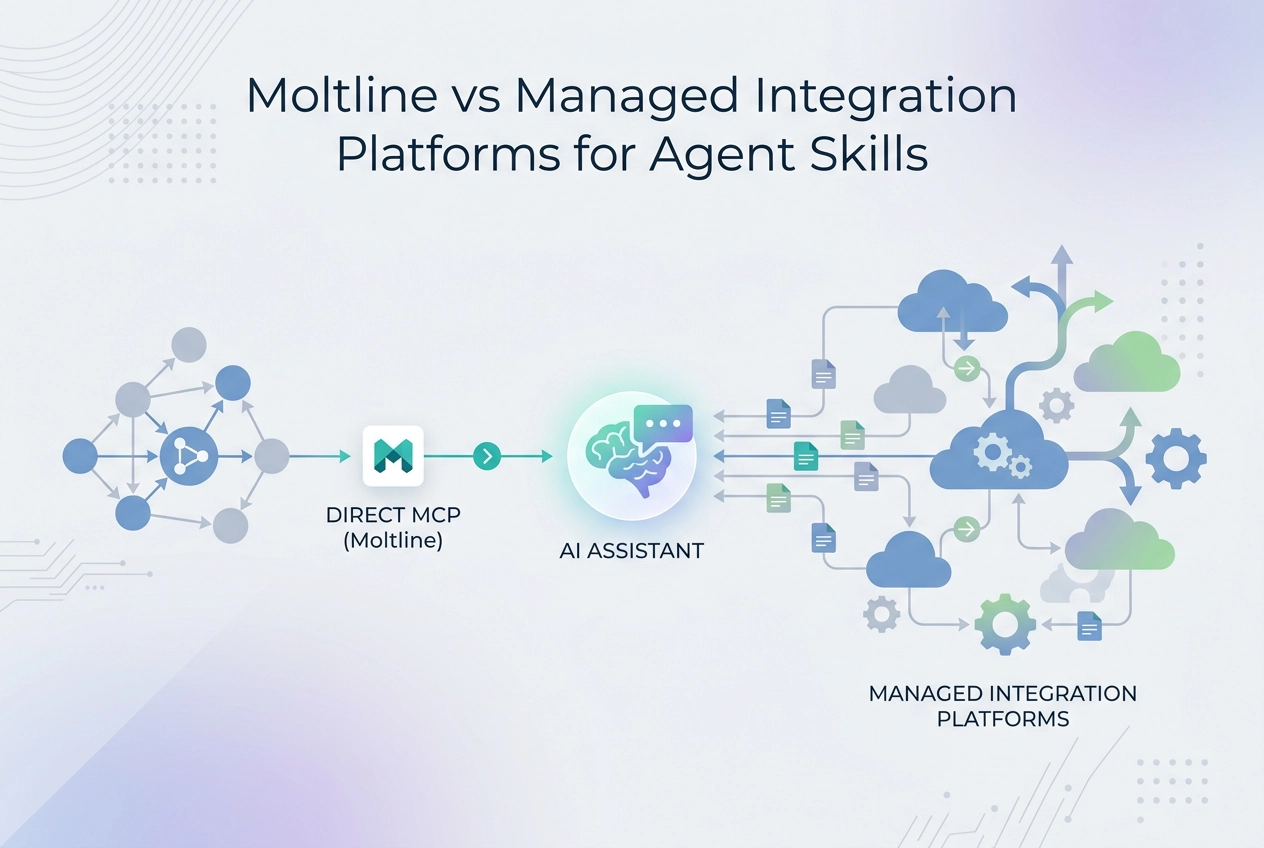
This post takes the question at face value. It compares Moltline Studio against managed integration platforms on mechanics you can test in a terminal. You will read how each side exposes tools over MCP, whether a SKILL.md loads and runs without an account, and what each free tier actually includes.
Sections cover wiring tools into Claude, Cursor or Codex, a side-by-side table, the no-signup SKILL.md test, the free tier breakdown, and where Moltline is the weaker choice.
What actually changes when you wire tools into Claude, Cursor or Codex
https://mcp.moltlinestudio.com/<server>
Paste that into Claude, Claude Code, Cursor or Codex CLI as a remote MCP server. Moltline Studio runs the server. Trying it costs nothing. The skill files sit open on GitHub.
A skill is a folder with a SKILL.md file; the description field tells the agent when to activate it, per the Agent Skills quickstart. The agent loads one on demand instead of you re-explaining a workflow each session.
The Agent Skills quickstart states: "Agent Skills are an open format. The same skill works in any compatible agent, including Claude Code and OpenAI Codex."
This piece weighs two patterns:
Direct per-server Streamable HTTP endpoints (Moltline Studio).
Managed integration catalogues that broker third-party auth and bundle many SaaS tools behind one endpoint.
Three tests score both, and every section returns to them:
Transport.
Signup.
Free tier.
No managed platform brand gets named below. The comparison is pattern against pattern, because vendor docs vary and self-reported numbers do not.

How does Moltline expose MCP tools inside Claude, Cursor and Codex?
Every Moltline server is a direct Streamable HTTP endpoint. Paste https://mcp.moltlinestudio.com/<server> into Claude, Claude Code, Cursor or Codex CLI as a remote MCP server. No broker sits in the path. The free set needs no account, no API key and no signup.
# Endpoint pattern for any hosted server
https://mcp.moltlinestudio.com/<server>

# Discovery: read the live x402 price challenge
curl -i https://moltlinestudio.com/api

# Expected first line: HTTP/2 402
# A 402 here is the x402 challenge, not a failure.
Setup takes four steps:
Copy the endpoint URL for the server you want.
Add it as a remote server in your client's config, usually under
mcpServers.List the exposed tools and choose one.
Run that call and confirm the output.
Moltline's published figures: 22 hosted servers exposing 160 tools in total. 110 tools are free forever with no account, API key or signup. The other 50 unlock with one $19/month All-Access licence.
Why the direct endpoint matters when something breaks
A direct endpoint changes debugging. You can curl the server without loading a client, so a failed tool call traces to the server or your client config, not to a broker in between. That localisation is the honest advantage of this model.
How do managed integration platforms expose tools over MCP?
A managed integration platform inverts that model. Instead of you running the server, a hosted broker holds OAuth credentials for many third-party SaaS APIs and republishes them as one MCP endpoint or a per-app tool set. You paste its URL into your client. The broker handles the auth handshake on the far side.
What the model buys:
A wide catalogue of ready integrations, covering niche SaaS connectors without you building them.
Centralised auth, so keys live in one dashboard.
One place to rotate credentials when someone leaves the team.
What it costs: an account before the first tool call, plus an API key or OAuth app for each connected service. Free tiers are usually capped by connected apps or monthly tool calls, not by features.
Treat this category as several products, not one. Transport support, SKILL.md support and free-tier limits vary by vendor. Ask before wiring anything in:
Does it speak Streamable HTTP, or only SSE?
Does it accept a SKILL.md folder?
What happens when the free tier caps?
Can you export the tool definitions if you leave?
Moltline vs managed integration platforms, side by side
The two patterns split on three tests: transport, signup and free tier. Moltline's figures below are its own published numbers.
Row | Moltline Studio | Managed integration platform |
|---|---|---|
MCP transport | Direct Streamable HTTP endpoint per server: | Hosted broker endpoint; transport varies by vendor |
Signup required | None for the 110 free tools | Account plus API key |
Free tier | 110 tools free forever, no account or key; 22 servers expose 160 tools | Usage-capped; limits vary by vendor |
Skill format | 138 SKILL.md skills open on GitHub | Varies by vendor |
Payment path | Crypto only. Humans pay $19/month through NOWPayments (ETH, USDT, SOL and 300+ coins). Agents pay 19 USDC on Base per month at | Subscription or usage-based billing; varies by vendor |
Who runs the tools | The studio runs its own servers | Vendor brokers third-party SaaS APIs |
Best fit | A focused tool set you can curl and debug directly | A broad SaaS catalogue with centralised OAuth |
On all three tests, transport, signup and free tier, Moltline's advantage is eliminating steps; the managed platform's advantage is catalogue breadth and brokered OAuth.
Client-side remote MCP configuration changes between releases. Check your client's current docs before copying snippets. Keep the snippet to the URL itself.
Can you load a SKILL.md without signing up?
On the Moltline side, yes. 138 SKILL.md skills sit open on GitHub at GarphenGate/moltline-oss. Clone the repo, copy a skill folder into your client's skills directory. No account, no key, no signup.
The load path, end to end:
Clone the repo:
git clone https://github.com/GarphenGate/moltline-ossCopy the skill folder you want into your skills directory.
Place it where your client looks for skills. The Agent Skills quickstart documents the path convention.
Reload the client so it re-scans that directory.
Confirm the skill is listed and callable. In VS Code, type
/skills.
A managed platform mostly ships tools, not portable skill files. If your workflow already lives in a SKILL.md folder, the file path removes a dependency the catalogue path keeps.
Two free tools sit around the repo. A SKILL.md linter catches format errors before you commit. An agent-readiness checker tells you whether an agent can read your site or API surface at all.
Pair a skill folder with the matching tool set on the server pages, so skill and server act as one workflow rather than two disconnected pieces. What changes between the free and paid sets is the server, not the skill file.
What does each free tier actually include?

Moltline's free tier is a fixed set of 110 tools, no usage meter. The other 50 tools unlock at $19/month, paid in cryptocurrency through NOWPayments (ETH, USDT, SOL and 300+ coins).
An agent can buy its own access. Hit the API root and the server answers with a live x402 challenge:
curl -i https://moltlinestudio.com/api
# 402 is the challenge, not a failure
Expect HTTP 402 with a PAYMENT-REQUIRED header. The x402 HTTP 402 spec defines that header, which carries amount, currency and destination. A wallet-holding agent reads it and settles on-chain, no human in the loop, as the x402 MCP server guide describes.
Managed integration platforms run the other way. Account first, then caps on connected apps or monthly tool calls. Limits vary by vendor and change often. Check each vendor's own docs for current limits.
Decide in three questions:
How many tools do you need in week one? Count them against the 110 free tools.
Does your workflow fit a portable SKILL.md? If yes, the direct path wins.
Do you want a broker handling OAuth for you? That is the real tradeoff.
Three answers, one choice.
Where is Moltline the weaker choice?
Moltline is the weaker choice in five places, and you should know them before wiring anything in.
Catalogue breadth. 22 servers is a focused set, not a long tail. If you need hundreds of niche SaaS connectors, a managed integration platform covers ground Moltline does not.
It is one person. The $19 licence covers one developer; teams need the separate Team plan at $99/month for five seats. No shared workspace, no SSO, no SLA, no SOC 2. If procurement asks for a compliance packet before you can install, this fails that review.
Figures are self-reported. The 22 servers, 160 tools and 110 free tools are Moltline's own published numbers. Open the live site and verify them rather than treating this article as a spec sheet.
No pushed updates. Open SKILL.md files mean you pull changes yourself. A managed platform that pushes updates saves work you would otherwise do in your own repo.
No multi-tenant isolation or audit logging on the shared hosted fleet. Neither is offered there, so neither is claimed. The Company plan ($399/month) offers an optional private deployment on your own infrastructure. Better to know that now than to discover it after integration.
Conclusion: run the two minute test
None of those gaps changes the answer if you only need a few tools today. Run three tests.
Paste
https://mcp.moltlinestudio.com/<server>into Claude, Cursor or Codex as a remote MCP server. Call one tool. Time it. That number is the real cost of the free tier. No account or API key.Clone
https://github.com/GarphenGate/moltline-oss. Load one SKILL.md into your client. If your workflow fits a portable skill folder, the comparison is already decided in favour of the direct path.Need a broad SaaS catalogue with brokered OAuth? Open a managed platform account. Read its free-tier limits before you commit. Compare on the mechanic that matters to you, not marketing pages.
Open the server catalogue. Pick the one server whose tools you would use today. Wire it in. If it works in five minutes, you have your answer.