Moltline Studio MCP Server Hosting: Self-Host or Hosted?
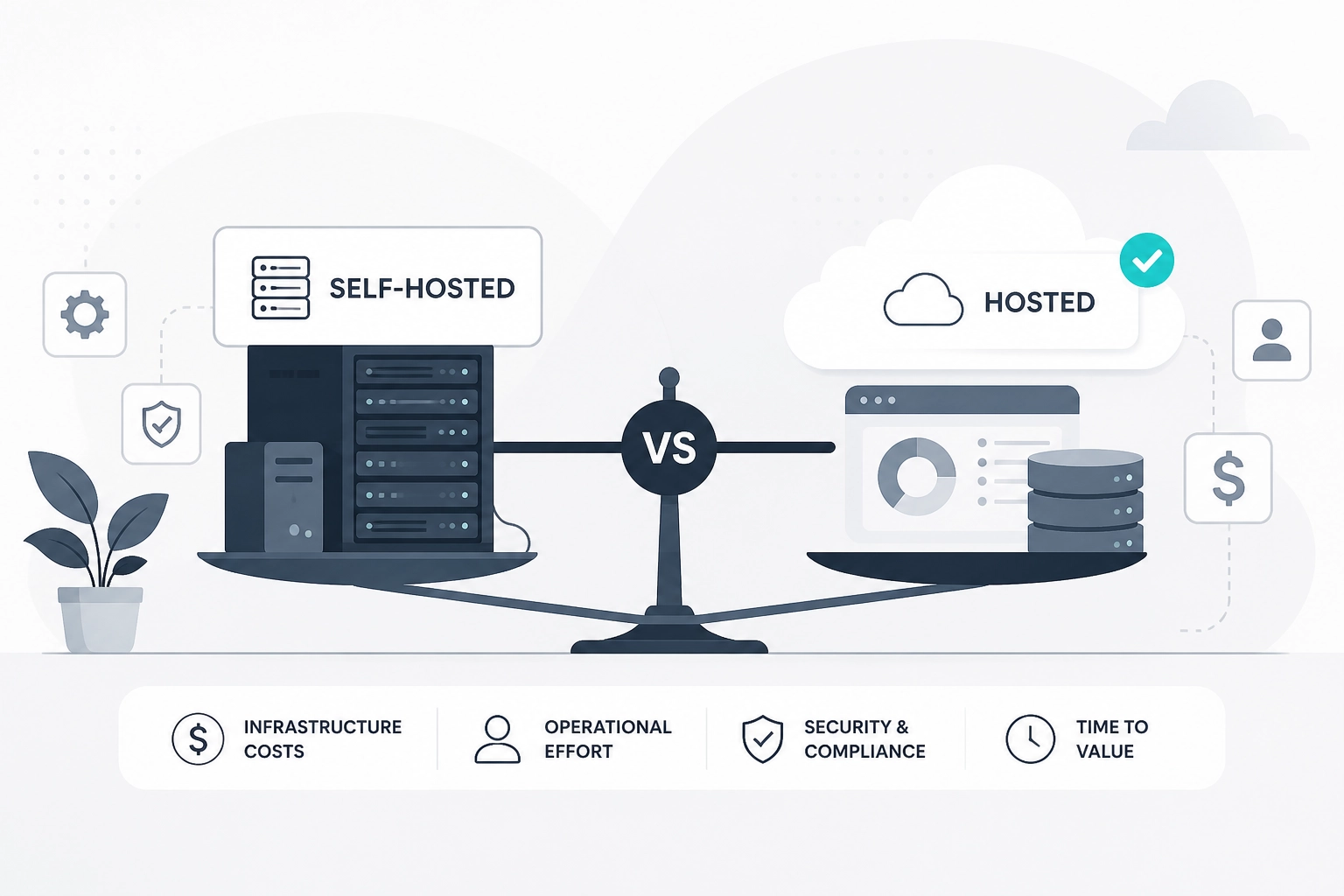
Run this first:
curl -s https://mcp.moltlinestudio.com/timeops/.well-known/mcp/server-card.json
That is the server card for one hosted MCP server. It says the transport is Streamable HTTP, that 3 of its 5 tools are free, that those free tools need no authentication, and which protocol versions the server negotiates. Somebody else runs that endpoint. If you self-host, every line of that card becomes a job on your list.
That is the real question behind MCP server hosting. Not "can I run it myself?" You can. The question is which parts of running it you want to own, and what they cost you every month.
Moltline Studio runs 22 hosted MCP servers with 160 tools between them. 110 of those tools are free, with no registration, no account and no credentials. The other 50 unlock with one $19/month All-Access licence.
This post lays out what self-hosting an MCP server involves, what a hosted server takes off your plate, and what each path costs over a year. The short version: self-host what only you can build, rent what someone already runs well, and count your own hours honestly.
What does MCP server hosting actually involve?
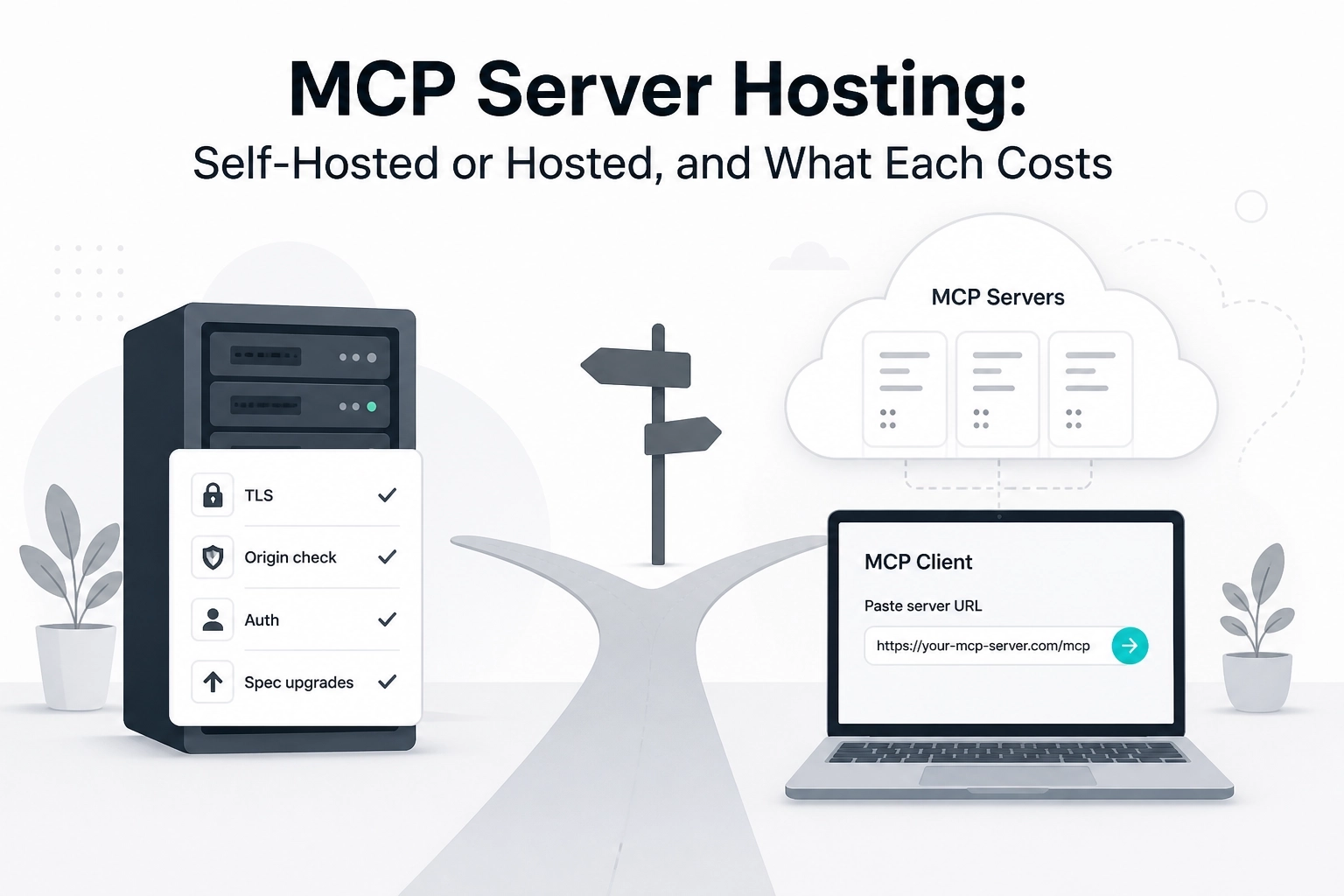
Hosting an MCP server means running an HTTP endpoint that speaks the protocol to clients you do not control. The Streamable HTTP transport in the current specification, revision 2026-07-28, asks for a single endpoint path. It also sets three security rules for whoever runs that endpoint:
Servers MUST validate the
Originheader on every incoming connection, to stop DNS rebinding attacks.When running locally, servers SHOULD bind only to localhost (127.0.0.1), not to every network interface.
Servers SHOULD implement proper authentication for all connections.
Authorization itself is optional in the spec. When a server does protect itself, the authorization section has it act as an OAuth 2.1 resource server.
Around those rules sit the ordinary jobs of any public endpoint:
a process that stays up and restarts when it crashes
TLS certificates and a reverse proxy
logs someone reads, and alerts when something breaks
patches for the runtime, the SDK and the operating system
upgrades when the protocol itself changes
That last item is bigger than it sounds. The specification has dated revisions from 2024-11-05, 2025-03-26, 2025-06-18, 2025-11-25 and 2026-07-28. The 2026-07-28 changelog removed protocol-level sessions and the initialize handshake, and made servers implement server/discover. A self-hosted server is yours to carry through changes like that.
For how the remote transport works in practice, read Remote MCP Servers Explained: Streamable HTTP in 2026.
What does it take to self-host an MCP server?
Running one for your own client on your own machine is easy. Over stdio there is nothing to host: the client launches the server as a subprocess, and the server lives as long as that client does.
Self-hosting in the sense most people mean is the remote case. One endpoint that several clients, teammates or agents reach over the network. That is where the work lives.
Here is the list we would hand anyone planning it:
Build. Pick an SDK, write the tools, and write input schemas tight enough that a model cannot talk its way around them.
Run. A VPS, a container platform or a machine in your own rack, plus a process manager.
Expose. A domain, TLS, a reverse proxy, and the
Origincheck from the spec.Protect. Decide who may call which tool. That means OAuth 2.1 as the spec describes it, or keys you issue and revoke yourself.
Watch. Uptime checks, error logs, and a person who gets the alert.
Keep current. Spec revisions, SDK releases, dependency patches and client quirks.
None of these is hard on its own. Together they are a small product with one customer, and the customer is you.
If you only need a tool on your own laptop, stdio may be all you need. If your client only speaks stdio and you still want a hosted server, Moltline publishes a zero-dependency bridge: one Python file under the MIT License, at GarphenGate/moltline-mcp.
What does a hosted MCP server take off your plate?
On a hosted server, the operator owns that list. You own one line of client config.
Every Moltline server speaks Streamable HTTP at one URL pattern:
https://mcp.moltlinestudio.com/<server>
Paste one into Claude Desktop, Claude Code, Cursor, Codex CLI, Gemini CLI or any client that speaks Streamable HTTP. The free tools answer straight away, with no registration, no account and no credentials.
A quick test from the server list: add https://mcp.moltlinestudio.com/timeops, then ask your agent how many business days fall between March 3 and April 17, skipping US holidays. It calls business_days and returns an exact answer instead of a confident guess.
What you still own on a hosted server:
The choice. Read the server card before you rely on a server. It lists the tools, the free and premium split, and the protocol versions it negotiates.
Your data. Anything you send to a hosted tool leaves your machine. If that is not acceptable for a given tool, hosting is the wrong model for it.
Your client config. One URL per server, plus a licence key if you buy premium.
What you stop owning: the process, TLS, the Origin check, uptime, patching and spec upgrades. On Moltline's side there is a written support commitment: a first response within 24 hours, and confirmed defects fixed within 30 days. No uptime percentage is published, so do not assume one.
For which clients take a hosted URL directly, see Which Hosted MCP Servers Work in Claude, Cursor and Codex?
What does each path cost over a year?
Self-hosting has no list price. Its cost is your server bill plus your hours, and the hours are usually the bigger number. Hosted paths have list prices. Here they are side by side:
Path | Cost | What you get | Caveat |
|---|---|---|---|
Local over stdio | $0 for hosting | Tools on your own machine | Only runs while your client runs it |
Self-hosted remote server | Your server bill plus upkeep hours | Your own tools, on your own terms | The |
Moltline free tier | $0 | 110 of 160 tools on 22 hosted servers | The premium 50 stay locked |
All-Access licence | $19/month | All 50 premium tools on every Moltline server, including any added later | For one person. Cancel whenever you like |
Team | $99/month | Five seats on one invoice | Arranged by email |
Company | $399/month | Unlimited seats and a written response-time commitment | A private deployment on your own infrastructure is possible. Billed by purchase order and invoice |
Agent day pass | 2 USDC on Base | Every premium tool until the end of the next UTC day | Bought by the agent over x402. Does not renew |
Kept for a full year, the All-Access licence costs $19 x 12 = $228.
Now price the self-hosted row with your own numbers. A worked example, where every figure is hypothetical: if your time is worth $60 an hour and one remote server takes two hours a month of patching, checking and upgrading, that is $120 a month before the server bill. At that rate the licence costs less as soon as upkeep passes about 20 minutes a month. Change the inputs to fit your situation. The point is to count the hours at all.
That comparison only holds when the tools match. If the tool you need is one you wrote, there is nothing to buy, and self-hosting is the honest answer. For the full licence arithmetic, read MCP Tool Pricing: What a Solo Developer Actually Pays.
When is self-hosting still the right call?
Hosting is not always the answer, and saying so saves everyone time.
Self-host when:
The tool is yours. Internal APIs, private databases and business logic nobody sells.
The data cannot leave. Regulated records, customer data under contract, anything your security review keeps inside the perimeter.
The network is private. Systems that only exist on an internal or air-gapped network.
MCP is part of your product. If you ship MCP to your own customers, running it is your job anyway.
There is a middle path for the second case. If your security review needs the servers inside your perimeter, Moltline's Company plan ($399/month) can include a private deployment on your own infrastructure. Same servers, run where your rules say they must run.
For everything else, rent. Business-day maths, code review checks, secret scans and skill linting are the kind of tools a hosted server already runs well, and they do not get better because you host them yourself.
What should you check before you pay for hosted MCP servers?
Read the server card first.
curl -s https://mcp.moltlinestudio.com/<server>/.well-known/mcp/server-card.jsonlists the tool counts, the free and premium split, and the protocol versions. Confirm your client and the server overlap.Confirm whether the tools you need are free. The server list names every free and premium tool on all 22 servers. If your tools are in the free 110, your yearly cost is $0.
Know how the licence renews. All-Access is billed monthly. Cancel whenever you like, and the key keeps working until the end of the period you paid for.
Know how the key is checked. The servers check the key offline, so the key needs no account and the check sets no cookies. One key covers every server: paste it into the credential field of each Moltline server you use.
Read the support terms as written. A first response within 24 hours, and confirmed defects fixed within 30 days. No uptime percentage is published.
Check an audit at its source. MCPize audited the catalog endpoint independently and scored it A, 94/100. Open the MCPize result yourself rather than trusting a summary.
None of these checks requires paying first.
Your next step: test a hosted endpoint, then price the licence
Do it in this order.
First, read a server card:
curl -s https://mcp.moltlinestudio.com/timeops/.well-known/mcp/server-card.json
Second, paste a free endpoint into your client and run one real task:
https://mcp.moltlinestudio.com/<server>
If the free tools cover the job, you are done, and your hosting bill is $0. If you need the premium 50, one $19/month All-Access licence unlocks them on every server. Get it at moltlinestudio.com, or let an agent buy a month for 19 USDC, or a day pass for 2 USDC, over x402.
If the tool only exists inside your company, self-host it, and use the list above to budget the hours.
Conclusion
MCP server hosting gets simpler once you separate the tools only you can build from the tools someone already runs.
Self-hosting a remote MCP server means owning the endpoint, the
Origincheck, auth, patching and every spec revision.Moltline Studio runs 22 hosted servers with 160 tools, and 110 of them are free with no account or credentials.
One $19/month All-Access licence unlocks the other 50 on every server, which is $228 a year if you keep it all year.
Private data or a strict perimeter is the case for self-hosting, or for the Company plan's private deployment.
Read a server card, wire a free endpoint into your client, and price your own upkeep hours before you decide. Start with the server list, pick one server, and test it today.